

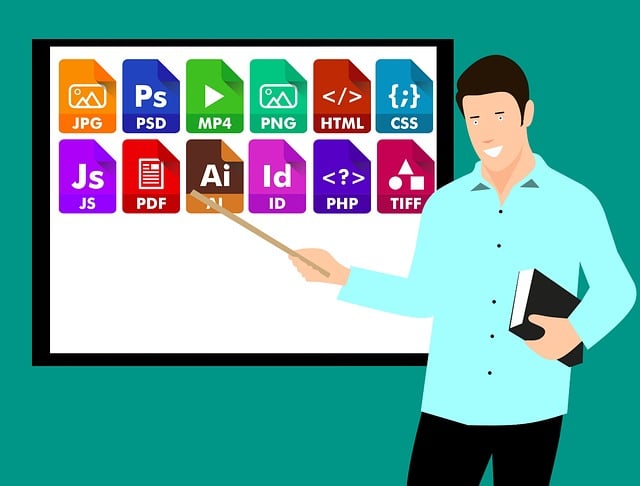
PDFs do not work well on mobile because they are a print format with a fixed size, which is just the opposite of what a screen is supposed to do; So, the customers are left with no choice but to pinch, zoom, and squint at the text that is sized for an A4 paper. Besides that, they’re slow to load since the entire file has to be downloaded before anything can be seen, they don’t automatically adjust to the size of the phone, and they can’t be made interactive or measurable in any significant way. The solution is to swap them with web-native formats that will adjust themselves to the screen, progressively load, and change passive viewing into active doing.
The real issue But is that a PDF makes every device look exactly the same. It appears in exactly the same way on a 27-inch monitor and a 6-inch phone, which implies that the layout that is brilliantly neat on a desktop will turn into a – quite – frustrating – zooming and dragging – exercise on mobile. Since around two-thirds of the catalog and document browsing is currently being done on phones, working on a desktop era format means working for only a minority of your audience.
What actually breaks when someone opens a PDF on a phone
The first failure is the wait. A PDF is a single bundled file, so a glossy catalog or brochure may weigh 20 to 60 megabytes, and the browser must download the whole file before displaying even one page. On a mobile data with an unreliable signal, that’s the difference between the content appearing in a second and a blank screen lasting for ten or more, and the industry data has shown that slow loads are directly responsible for people abandoning the page.
The second failure is the reading experience itself. Since a PDF contains a fixed layout, the text cannot reflow to fit the width of the screen, so the reader is forced to zoom in to read, then scroll left and right to follow each line. Anyone who has tried to read a multi-column PDF on a phone is familiar with this experience, and this is the sort of friction that leads people to give up even before they get to the content that was really important to them.
The third failure is that a PDF is a dead end. It can’t reliably carry working links to your store, it can’t drop a product into a cart, and it tells you almost nothing about who opened it beyond a download count.
How a web-native format solves each of those problems
The opposite of that is content made not for printing but for the browser, and that is where these three failures are fixed one after another. For a start, a web-based catalogue or document is a stream of pages instead of one large file; the server compresses and serves each spread as an optimized image so it takes about one second even on a phone for the first page to be visible. The reader gets to see something immediately and the rest of the content is quietly loading in the background as they scroll or flip.
Reflow is the second remedy. A responsive layout detects the screen size and rearranges the content So, making text readable without zooming and changing the size of tap targets so that thumbs can be used instead of mouse cursors. The reader scrolls in the natural way as they do everywhere else on their phone, which removes the one most deterrent thing about PDFs on mobile and keeps people going through more of the content.
Number three is interactivity and measurement, which a web format allows for free. Items and links are clickable and take you straight to item page or a cart, and every gesture is measurable, so that you get to know which pages got the attention and which products made the clicks.
Which alternative fits which job
The best substitute really varies on the role of the PDF, and the main point where people around just fail in their selection is when they throw all the use scenarios in one pot. A digital flipbook or web catalog is the most obvious next step for catalogs, lookbooks, and flyers since it keeps that page-turning sensation that browsing is all about but, at the same time, adds to the speed, the reflow, and the shoppable links Creating a digital magazine from print-style content can help businesses make their content easier to browse and read across devices. Retailers and brands who are stepping away from printed catalogs very rarely miss this one because the format is in keeping with how a person would go about flipping through a collection.
For documents meant to be read rather than browsed, like reports, guides, or whitepapers, a plain responsive web page or article often beats any flipbook, because reading long text benefits from simple vertical scrolling rather than simulated pages. For forms and contracts, where the PDF’s fixed layout actually served a purpose, web-based form tools that capture input directly are the better swap, since they remove the print-sign-scan cycle entirely. There’s a useful breakdown of the modern alternatives to PDFs worth reading before you assume one format fits every document you currently ship as a PDF.
The segment you’re in shapes the urgency too. A grocery or big-box retailer pushing weekly flyers to a mobile-heavy audience has the most to gain and should move fastest, while a B2B firm sending occasional spec sheets to desktop users on corporate networks feels less pain and can be more selective. Match the alternative to both the content type and the audience’s actual behavior rather than replacing everything at once.
What switching costs and how long it takes
Migration is a lot simpler than the issue may imply. Why? Because your current files act as the source material. If you have an InDesign catalog or a PDF brochure, simply upload that file, and a web catalog platform will change it into a streamed responsive shoppable version without anyone having to recreate the layout from scratch. Interactive links tracking etc. are “put on” the document, and the first version can be published within days instead of months. Usually, cost is based on a tiered subscription system instead of a large upfront development, with a catalog platform costing a few thousand dollars per year, which is quite reasonable comparatively to the print and bandwidth costs it replaces and most importantly the sales that a PDF might let slip away.
The internal effort is mostly about the process, retraining one’s self habit of exporting a PDF to rather publishing a format that works on the device that most your audience is actually holding.