

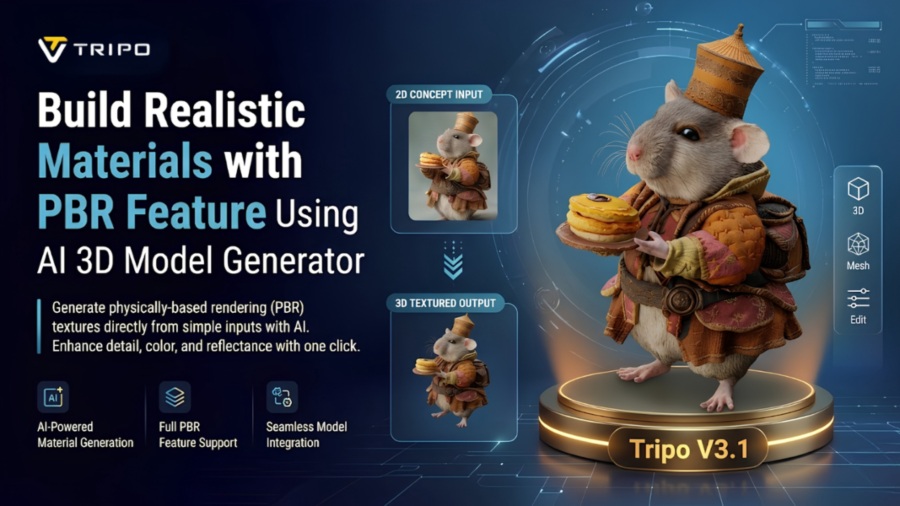
Materials have a huge impact on the believability of a 3D asset. Great geometry can appear unrealistic if the surface materials are not accurate. Physically Based Rendering (PBR) enables materials to react to light appropriately and realistically. Today’s creators often seek high-quality textures from the beginning of the workflow. Tripo 3D meets this demand with model generation using AI and advanced texturing features. This supports faster creation while maintaining realistic visual quality across professional workflows.
Understanding PBR Texture Support in AI 3D Modeling
Physically Based Rendering is based on true material behavior and lighting. It enables the same surface to behave in the same way in various rendering situations. Typically, PBR materials will include properties like albedo, roughness, metallic, and normal. These are the factors that affect the type of light that is reflected off a surface. Accurate material data plays an important role in realistic reflections, highlights, and shadows. PBR workflows are a key part of today’s game engines, animation systems, and visualization programs. Therefore, PBR support has become an important component for creating usable 3D assets with a consistent appearance across different workflows.
How AI 3D Model Generator Creates Material Foundations
Material quality begins with a reliable connection between geometry and surface properties. AI 3d model generator automatically identify logical material regions based on the structure of the object. Surface recognition helps distinguish materials such as metal, fabric, plastic, and wood. Smart texture placement improves alignment and reduces positioning inconsistencies. This process helps maintain realistic surface details across different parts of the model, depending on the input quality and settings. Tripo 3D helps align geometry with suitable material regions, reducing manual adjustments after generation and supporting a more consistent appearance across the asset.
Leveraging Tripo 3D Texturing Capabilities
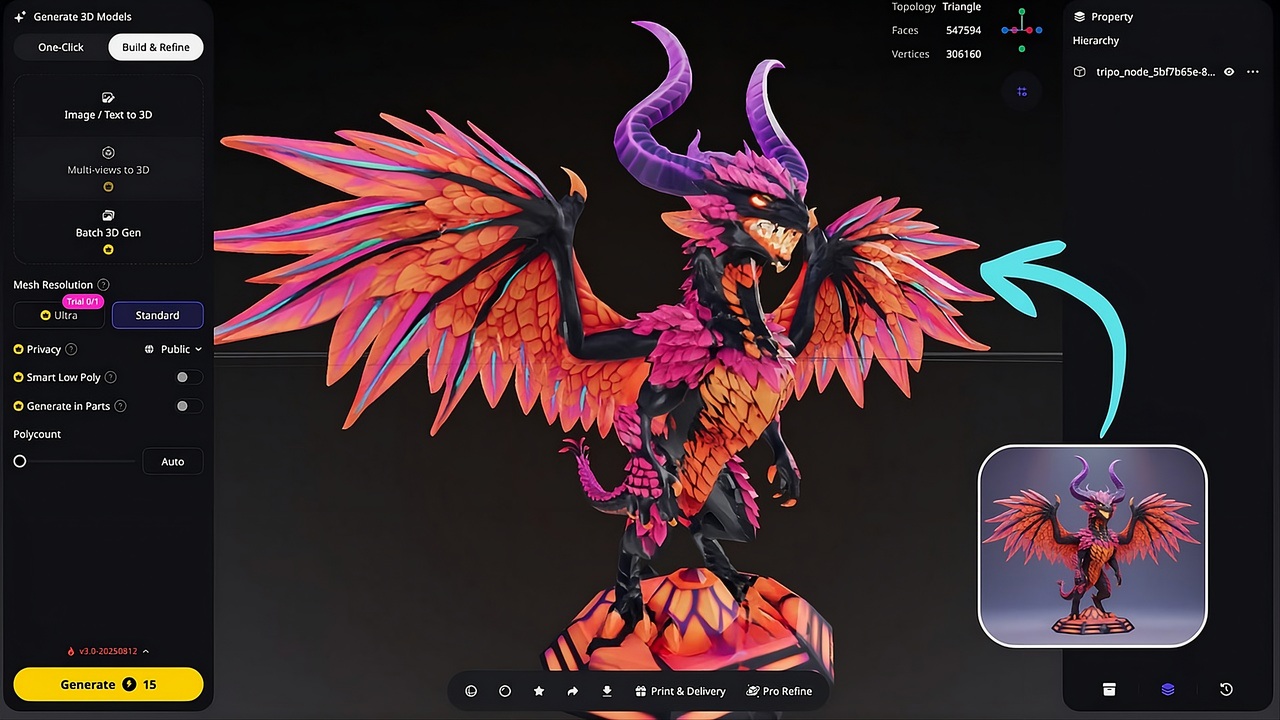
Tripo 3D also provides several texturing tools that help simplify the asset creation process. Detailed materials can be applied efficiently with the one-click texture generation feature. High-resolution textures are available to provide improved surface details in advanced projects. Advanced workflows allow creators to convert images into editable assets with detailed surface properties. Magic Brush allows users to refine targeted areas without affecting the entire model. Localized adjustments provide precise control over specific regions while maintaining visual consistency throughout the scene.
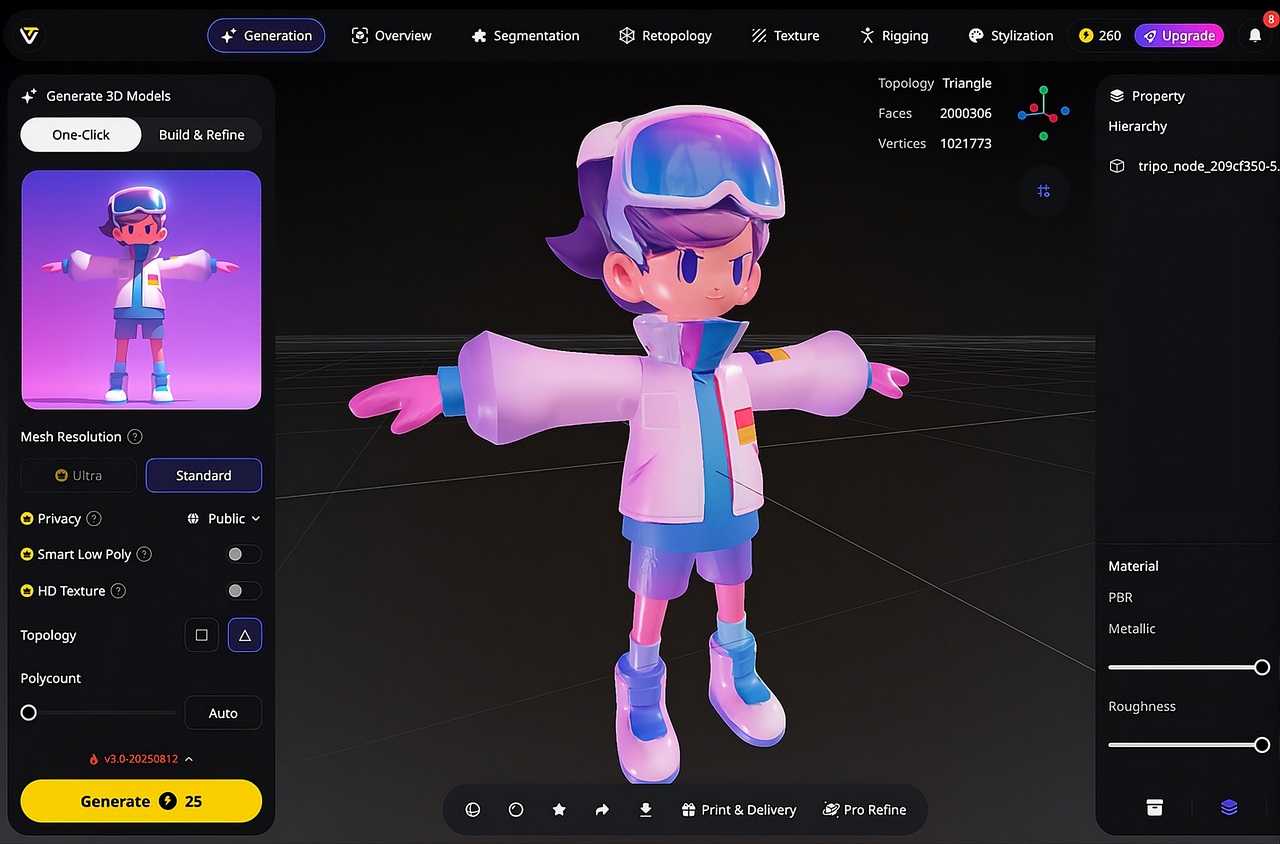
Steps to build realistic materials with an AI 3d model generator, PBR texture support
Step 1: Begin material-focused model creation
-
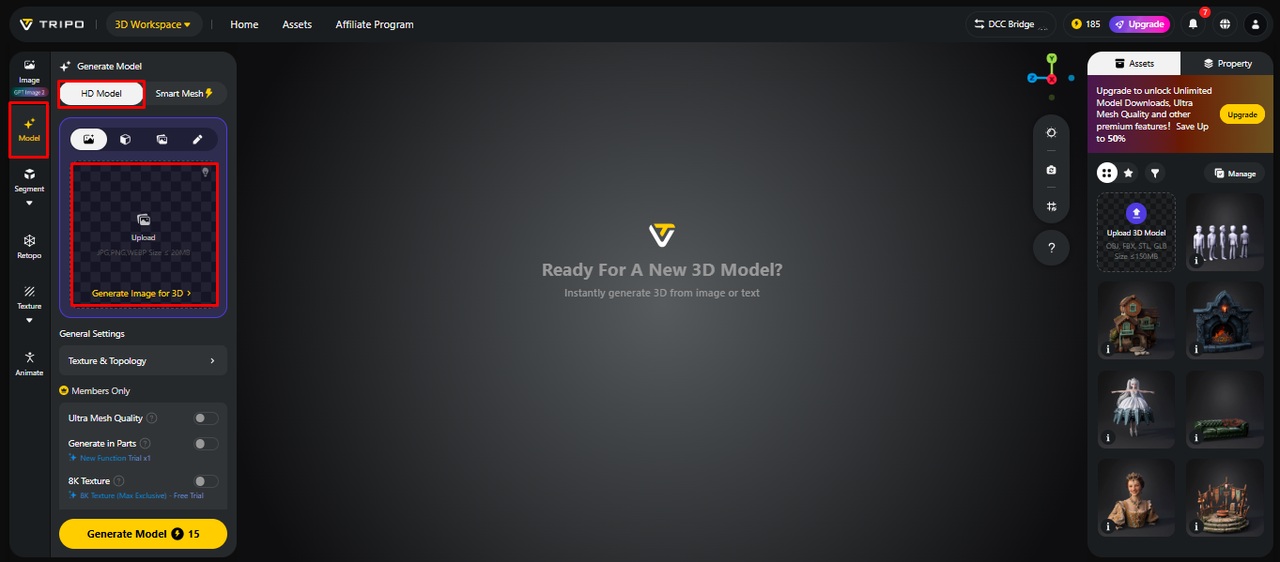
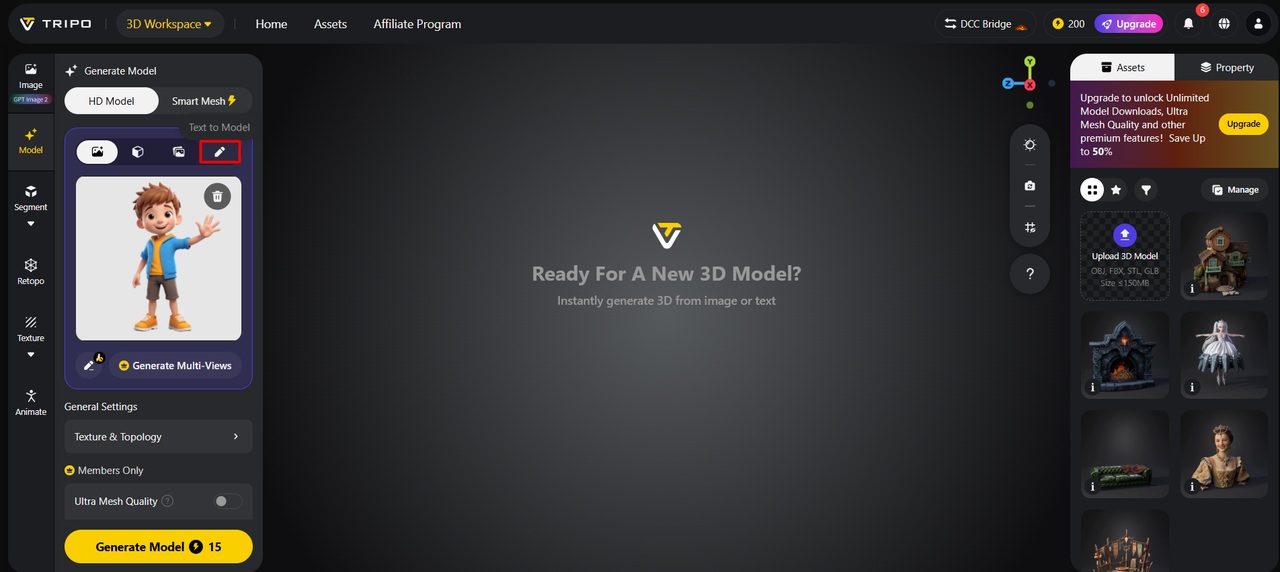
Sign up for Tripo 3D and open the “Model” tab located in the left-side vertical menu.
-
Select “HD Model” under the menu. Models can be generated through text prompts or image uploads.
-
Upload an image by dragging and dropping it or by using the “Upload” tab to browse files from your device.
-
If no image is available, open the “Text to model” tab and enter a descriptive prompt.
Step 2: Apply texture and material settings
-
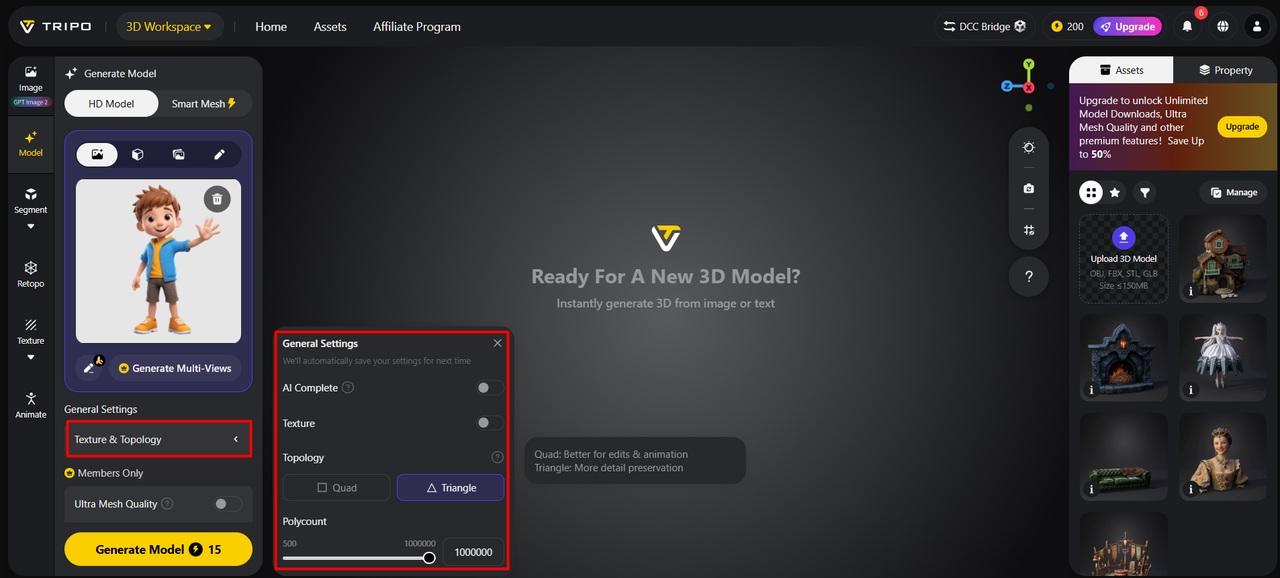
Under the “General settings” tab, you can enable “AI complete” for automatic generation or turn on texture and select a preferred “Texture Quality” of 2K, 4K, or 8K.
-
Enable “PBR” to achieve accurate material reflective properties.
-
Choose “Quad” or “Triangle” topology to improve topology characteristics.
-
Set a custom polycount based on the project requirements.
-
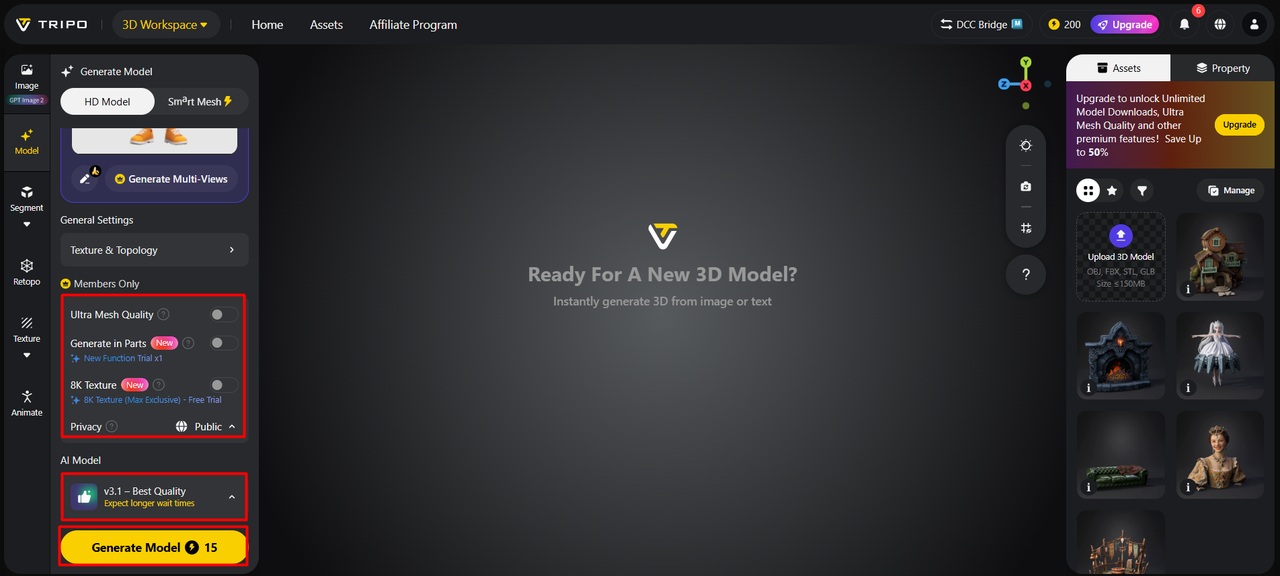
Select between v3.1 best quality, v3.0 fast and balanced, or v2.5 legacy.
-
Members can unlock “Generate in Parts”, “8K Texture”, and “Privacy” options.
-
Click “Generate Model” to start model creation.
Step 3: Inspect textures and export assets
-
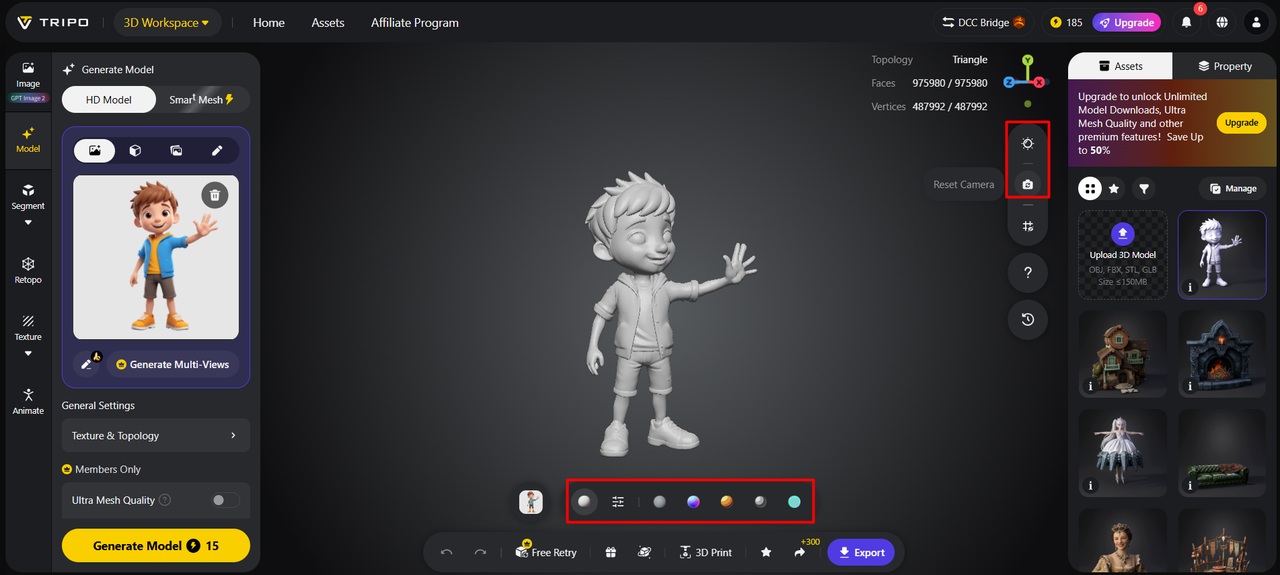
Tripo 3D allows viewing with “Solid View”, “Cartoon Style”, “Sketch Style”, “Hologram Style”, and “Unlit” styles. You can also improve the design through “Refine” in the bottom menu.
-
Adjust the “Environment Settings” and reposition the view with “Reset Camera”.
-
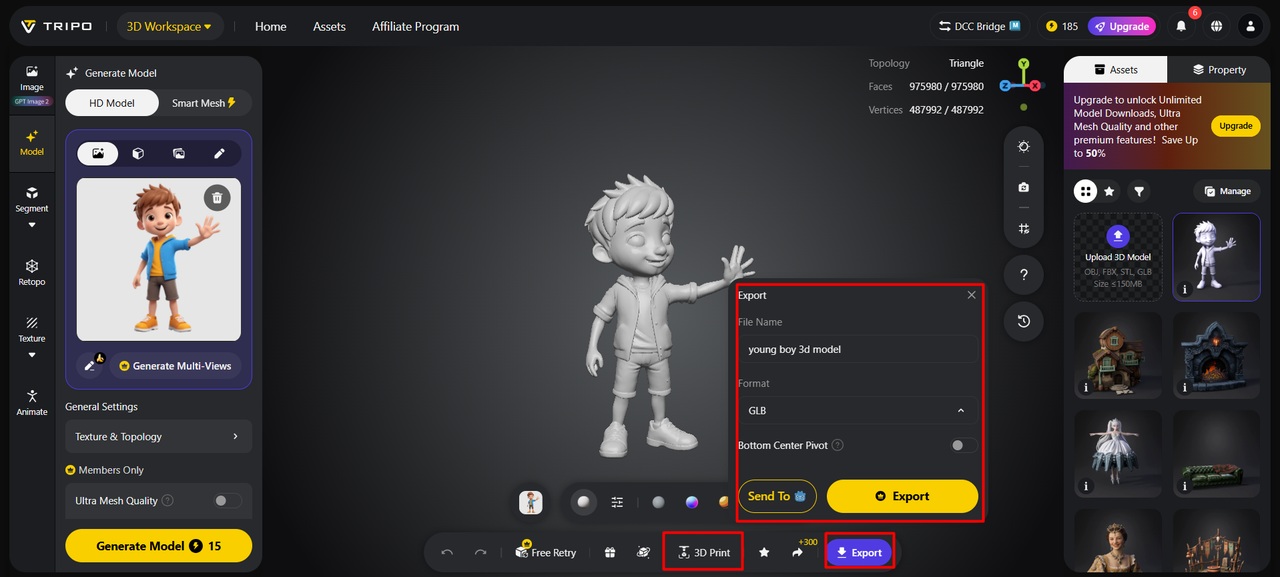
Models can be printed or shared directly through “3D Print”.
-
Lastly, access the “Export” tab from the bottom menu. Select the resolution, format, and file name, then click “Export” again to save the model.
Essential PBR Maps That Improve Realism
Several texture maps directly influence realistic material behavior. Albedo maps are used to specify base color information without lighting effects. Roughness maps define the surface texture and roughness characteristics. Metallic maps define the reflective properties of metallic materials. Normal maps add detail to the surface without increasing the number of polygons. When these maps are combined, they create realistic and convincing visual depth. Additionally, accurate PBR maps can support consistent appearance across different engines and rendering platforms. Tripo 3D incorporates these material principles to support efficient creation of high-quality assets.
Benefits of AI-Powered PBR Material Workflows
AI-powered PBR workflows offer significant advantages for creators and production teams:
-
Natural surface representation enables materials to react realistically to lighting.
-
More realistic material behavior can contribute to improved visual quality under a wide range of lighting conditions.
-
Faster texture generation helps accelerate material development and reduces manual workload.
-
Accelerated workflows can help shorten overall asset development timelines.
-
Consistent visual quality supports the development of cohesive asset libraries at scale.
-
Standardized generation can provide greater consistency across multiple projects.
-
Faster workflows give creators more opportunities to experiment with different material styles.
Applying Realistic Materials Across Different Industries
Realistic materials are important across a variety of industries. Gaming teams often require realistic assets that integrate smoothly into development pipelines. Accurate materials are essential for product visualization and communicating design finishes. Realistic surfaces enhance presentations and support architectural rendering. In film and animation, textures should contain enough detail to maintain quality when enlarged. Tripo text to 3d model tools can support efficient workflows and help creators produce high-quality visuals.
Future Trends in AI-Driven Material Generation
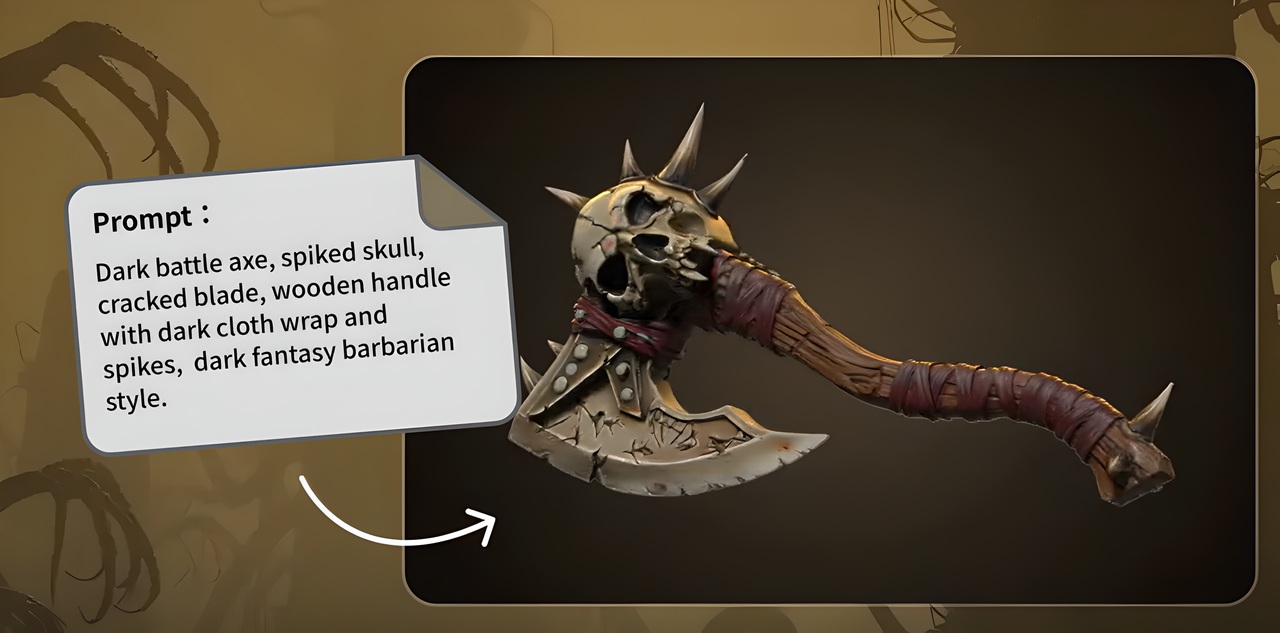
AI material generation is an evolving field that continues to improve in automation and precision. Material recognition systems are expected to better identify complex surfaces and mixed materials. Automated surface adaptation may improve support for difficult shapes. Higher texture resolutions may support more detailed productions. AI is expected to contribute to faster development processes. Future systems may also recommend material combinations based on project requirements. These improvements could enhance efficiency and realism while reducing repetitive technical tasks.
Conclusion
Realistic and consistent 3D materials rely on PBR textures. These maps improve lighting response, visual depth, and overall asset quality. Automated texturing and intelligent surface recognition tools simplify material creation with Tripo 3D. These capabilities help streamline material creation while supporting consistent results. Realistic material generation is expected to become more efficient and accessible as AI advances. Future AI texturing developments may continue to influence 3D workflows across creative and industrial applications.