

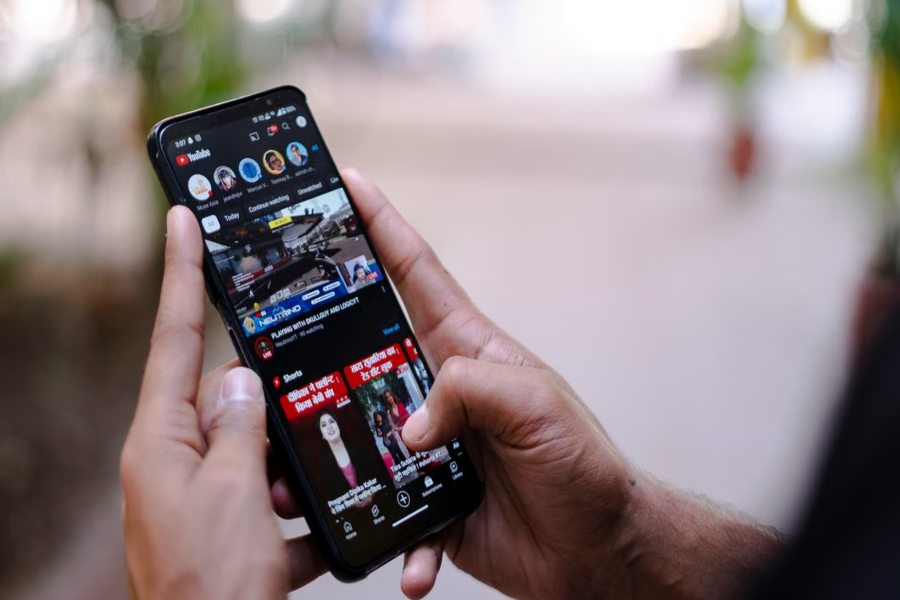
Understanding how to get a YouTube transcript is becoming an essential digital skill for creators, students, marketers, and researchers. YouTube is now the largest video content platform in the world, hosting billions of videos across every niche imaginable. However, watching long videos repeatedly just to find key information can be inefficient and time-consuming.
A YouTube transcript is the written version of everything spoken in a video. It allows users to quickly read, search, and extract information without having to re-watch the content multiple times. This makes it extremely valuable for learning, content creation, SEO research, and accessibility improvement.
When you learn how to get a YouTube transcript, you unlock a powerful tool that improves productivity. You can convert video lectures into notes, turn tutorials into blogs, and even repurpose video scripts for marketing purposes. Transcripts also help people who are deaf or hard of hearing, and those who prefer reading over watching.
In addition to YouTube’s built-in options, users can also rely on external tools, such as a YouTube Transcript Generator, to quickly convert any video into readable text with greater convenience and flexibility. These tools are especially useful when transcripts are not available or when faster extraction is needed.
YouTube provides built-in transcript features for many videos, but not all content includes them. In such cases, users rely on captions, browser tools, or AI-powered transcription services. Each method has different benefits in terms of accuracy, speed, and usability.
In this complete guide, you will learn all working methods step by step. You will also understand how to copy, download, and upload transcripts for your own videos. By the end, you will fully master how to get a YouTube transcript in the most effective way possible.
What is a YouTube Transcript and Why Does It Matter?
YouTube transcripts are not just simple text copies of video content—they are powerful tools that transform how users interact with videos. When you understand how to get a YouTube transcript, you unlock a structured written version of spoken content that can be reused, analyzed, and repurposed in many ways.
A transcript converts everything spoken in a video into readable text. This allows users to scan information quickly instead of watching an entire video from start to finish. It is especially useful for long tutorials, educational lectures, interviews, and in-depth discussions where important information is spread throughout the content.
From an SEO perspective, transcripts play a major role in improving visibility. Search engines rely on text to understand context, rank content, and match search queries. When videos include transcripts, they become easier to index, more searchable, and more likely to appear in relevant results.
Accessibility is another key reason why transcripts matter. Many viewers depend on text-based content due to hearing difficulties, language barriers, or simply personal preference. Transcripts ensure that video content is inclusive and accessible to a much wider audience without limitations.
They also significantly improve learning efficiency. Instead of rewatching videos multiple times, students and researchers can quickly extract key points, highlight important sections, and take structured notes directly from the transcript.
In modern digital strategy, knowing how to get a YouTube transcript is more than just a technical skill—it is a content advantage. It allows creators and users to repurpose video content into blog posts, summaries, social posts, and study materials, turning passive viewing into active knowledge use.
Step-by-Step Methods to Get YouTube Transcript
If you want to quickly extract video text, there are several simple methods for getting a YouTube transcript. depending on your device and needs.
Using YouTube Built-in Transcript Feature
The easiest method is using YouTube’s built-in transcript tool. Open a video, click the three-dot menu, and select “Show transcript.” This instantly displays all spoken content.
Accessing Transcript on Desktop
Desktop users get the best experience. The transcript appears beside the video with timestamps, allowing easy navigation to specific sections.
Viewing Transcript on Mobile
Mobile users may not always see the option directly. Switching to desktop mode or using a browser can help unlock full visibility of the transcript.
Using Captions as a Transcript
If transcripts are unavailable, captions can act as an alternative. These auto-generated subtitles can be read or copied for basic use.
Advanced Methods to Get YouTube Transcript Easily
Understanding advanced methods for getting YouTube transcripts? helps users unlock video content even when YouTube does not offer a direct transcript. These techniques are especially useful for researchers, content creators, and professionals who need accurate and fast text extraction from videos.
1. Browser Extensions
Browser extensions are one of the fastest ways to extract transcripts directly from YouTube videos.
- Extract transcripts instantly while watching videos
- Work on almost any YouTube video page
- Allow exporting text in clean formats
- Highly useful for writers, students, and researchers
- Save significant time during content analysis and note-taking
2. Online Transcript Tools
Online tools offer a simple way to generate transcripts without installing anything.
- Paste the YouTube video URL and generate text instantly
- No software or extension required
- Works with most public videos
- Uses AI-powered processing for better accuracy
- Ideal for beginners and casual users
3. AI-Based Transcription Services
AI transcription tools provide more accurate and professional results.
- Advanced speech recognition for higher accuracy
- Works even when captions are missing
- Supports multiple languages and accents
- Best suited for professional content and business use
- Converts long videos into clean, structured text
4. Manual Copy Method
This method is simple but requires more effort.
- Turn on captions while playing the video
- Pause and manually copy important sections
- Useful for short videos or specific segments
- Gives partial control over accuracy and selection
- Time-consuming but completely free
5. YouTube Studio (For Creators)
Creators can access and manage transcripts directly inside YouTube Studio.
- Full transcript editing and control
- Upload custom subtitle or caption files
- Improve SEO performance using optimized captions
- Manage multilingual subtitle versions
- Adjust timing and formatting for accuracy
These advanced techniques make it much easier to understand how to get a YouTube transcript. Even when default options are limited or unavailable.
Why YouTube Transcripts Are Important for SEO and Users
YouTube transcripts play a critical role in modern digital communication. They enhance accessibility, improve SEO performance, and allow better content engagement.
When users search for ” how to get YouTube transcript?, they are often looking for ways to improve productivity. Transcripts make this possible by turning video content into searchable text. This helps users find precise information quickly without having to watch entire videos.
From a content marketing perspective, transcripts are extremely valuable. They allow creators to repurpose videos into blog posts, social media content, newsletters, and scripts. This maximizes content value without extra production effort.
Transcripts also improve user engagement. Viewers can follow along while watching videos or simply read the content in a silent environment. This flexibility increases watch time and retention rates.
Another major benefit is multilingual accessibility. Transcripts can be translated into different languages, helping creators reach global audiences.
Overall, understanding how to get YouTube transcripts is not just a technical skill—it is a strategic advantage in content creation, marketing, and education.
How to Upload a YouTube Transcript for Better SEO Results
If you want to improve video visibility and reach, learning how to properly upload and use transcripts is a powerful strategy for SEO growth.
Uploading Transcript to YouTube
Creators can upload transcript files through YouTube Studio by selecting subtitles, choosing a language, and uploading text files.
Using Transcript for SEO
Transcripts help search engines better understand video context, increasing ranking potential and visibility.
Repurposing Transcript Content
- Convert into blog posts
- Create social media captions
- Extract quotes for marketing
- Build video summaries
- Improve website content
Editing Transcript for Accuracy
Always review transcripts before publishing. Fix grammar errors, speaker confusion, and timing mismatches.
Deduction
Learning how to get a YouTube transcript? gives users a powerful advantage in content consumption, SEO optimization, and digital productivity. Whether you use YouTube’s built-in tools, AI platforms, or browser extensions, transcripts make video content more accessible and useful. In today’s fast-moving digital world, transcripts are no longer optional—they are essential for learning, marketing, and content strategy.
FAQ’s
How do I get a YouTube transcript quickly?
Click the three-dot menu under the video on desktop and select “Show transcript.” This instantly opens the full transcript panel with timestamped text.
Why don’t some videos have transcripts?
Some videos don’t show transcripts because captions are disabled or YouTube hasn’t generated automatic subtitles for that content.
Can I download YouTube transcripts?
Yes, you can manually copy and save transcripts or use trusted third-party tools and extensions to download them in text format easily.
Are YouTube transcripts always accurate?
No, auto-generated transcripts may contain errors due to background noise, accents, and the video’s overall audio clarity.
Can I use transcripts for SEO?
Yes, transcripts improve SEO by helping search engines better understand video content, which increases visibility and ranking potential.
What is the best method for accuracy?
Professional transcription services or AI-based tools usually provide the highest accuracy, especially for long or complex videos.