

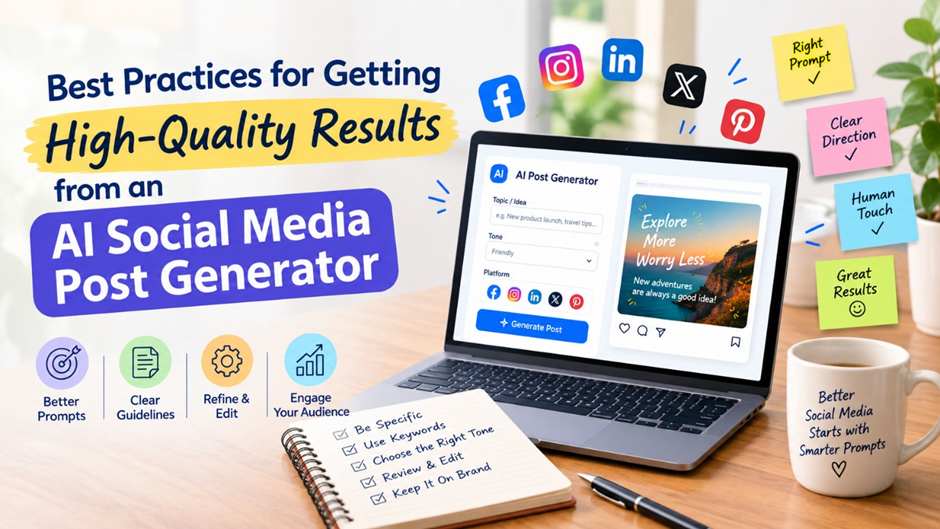
Social media moves fast, and keeping up with captions, hashtags, and posting schedules across eight different platforms can drain hours out of your week. That’s exactly why so many marketers, small business owners, and social media managers have turned to an AI social media post generator to handle the heavy lifting. But not everyone gets the same results. Some users get scroll-stopping content in minutes, while others end up with generic, robotic posts that need heavy editing.
The difference almost always comes down to how the tool is used. An AI social media post generator is only as good as the input it’s given and the workflow built around it. In this guide, we’ll walk through the best practices that help you get high-quality, on-brand, platform-ready content every single time.
Why Results Vary So Much with an AI Social Media Post Generator
Before diving into the tips, it helps to understand why output quality differs so much from user to user. Most AI tools generate content based on patterns, context, and instructions. If you feed a tool vague prompt or skip the brand-setup step, it has to guess — and guessing rarely produces content that sounds like you.
On the other hand, when you give an AI social media post generator clear signals about your brand voice, audience, and goals, it can produce captions, hashtags, and even visual suggestions that feel genuinely tailored. The tools themselves have gotten smarter, but the biggest quality gains still come from how well you set them up.
1. Start With a Strong Brand Profile
The single biggest lever for quality is the brand information you provide upfront. A good AI social media post generator will ask for details like your website, tone preferences, color palette, and target audience. Don’t skip this step or rush through it.
- Paste in your actual website URL so the tool can read your existing copy and visual style, rather than starting from a blank slate.
- Describe your brand personality in a few adjectives (playful, professional, bold, minimal) so the AI has a clear tone to match.
- If you serve multiple audiences or product lines, note that too — generic “one size fits all” prompts lead to generic output.
The more context the tool has about who you are, the less generic and more “on-brand” your generated posts will feel.
2. Give Platform-Specific Instructions
A caption that works on LinkedIn will almost never work as-is on TikTok or Instagram. Each platform has its own tone, format expectations, and audience behaviour — professional and text-forward on LinkedIn, fast and hook-driven on TikTok, visual and scroll-friendly on Instagram and Pinterest.
When using an AI social media post generator, don’t just generate one post and copy-paste it everywhere. Instead:
- Ask for platform-specific versions of the same idea, so hooks, hashtags, and captions are tuned to how people actually behave on that channel.
- Pay attention to dimension and format differences — a square Instagram post won’t automatically work as a Pinterest pin or a YouTube thumbnail.
- Review hashtag suggestions per platform, since hashtag strategy on Instagram looks very different from hashtag use on X or TikTok.
Tools that auto-adjust captions, hashtags, dimensions, and timing per platform save you from having to manually rework every post, which is one of the biggest time-savers of using AI in the first place.
3. Treat AI Output as a Draft, not a Final Post
Even the best AI social media post generator should be treated as a strong first draft rather than a finished product. Reviewing and lightly editing generated content is where good posts become great ones. This doesn’t mean rewriting everything — it means:
- Reading captions out loud to check if they sound like your actual brand voice.
- Swapping in specific details (a real product name, a current promotion, a recent milestone) that the AI couldn’t have known about.
- Checking that any statistics, claims, or trending references are accurate and current before publishing.
A quick human review pass takes a fraction of the time it would take to write the post from scratch, but it makes a noticeable difference in quality and authenticity.
4. Use Analytics to Refine Future Prompts
One of the most overlooked best practices is closing the feedback loop. Most platforms that include an AI social media post generator also offer built-in analytics showing what worked and what didn’t. Use that data.
- Identify your top-performing posts and note what made them different — was it the hook, the format, the posting time?
- Feed those insights back into your next round of prompts, asking the AI to lean into styles or topics that have historically performed well.
- Track engagement trends over time instead of judging quality post-by-post; AI tools improve their relevance to your audience as you generate and refine more content.
This turns your AI social media post generator into a system that keeps getting sharper the more you use it, rather than a one-off content vending machine.
5. Maintain Consistency in Posting Schedule
High-quality individual posts don’t matter much if they’re published inconsistently. Part of getting real value from an AI social media post generator is pairing content generation with a reliable schedule.
- Use built-in scheduling features to publish at times when your specific audience is most active, rather than guessing.
- Batch-generate a week or month of content at once so you’re never scrambling for a last-minute post.
- Keep a consistent posting cadence per platform — daily on fast-moving channels like X or Instagram Stories, a few times a week on LinkedIn or Facebook.
Consistency signals reliability to both your audience and platform algorithms, and it’s far easier to maintain when a large batch of content is already generated and approved in advance.
6. Loop In Your Team for Approval
If you manage content for a brand, client, or team, quality control shouldn’t rest on one person’s judgment alone. The best AI social media post generator workflows include a review step where team members or clients can comment, request edits, and approve posts before they go live.
- Route AI-generated drafts through an approval stage rather than publishing directly.
- Keep comments and version history attached to each post so feedback doesn’t get lost across email threads or chat apps.
- Assign clear roles (who drafts, who reviews, who approves) so the process doesn’t bottleneck.
This extra layer catches inconsistencies, off-brand phrasing, or factual errors before they reach your audience — something pure automation can’t do on its own.
Common Mistakes to Avoid
Even with good intentions, a few habits consistently lower output quality:
- Vague prompts: “Write a post about our product” gives the AI almost nothing to work with. Be specific about the angle, audience, and goal.
- Ignoring brand voice settings: Skipping onboarding steps means every post defaults to a generic tone.
- Posting without review: Publishing AI output verbatim, without a quick human check, is the fastest way to end up with content that misses the mark.
- Using one post everywhere: Copy-pasting the same caption across all platforms undercuts the platform-specific tuning most tools offer.
Bringing It All Together
Getting consistently strong results from an AI social media post generator isn’t about finding a “perfect” tool — it’s about how deliberately you use it. Strong brand inputs, platform-specific instructions, a quick human review pass, and a feedback loop built on real analytics are what separate scroll-stopping content from generic filler.
Platforms like Indzu Social are built around exactly this workflow: you drop in your website, get a month of platform-tuned posts generated by ZuAI, and route everything through scheduling and approval before it goes live — all from one dashboard. When the setup is right, an AI social media post generator stops being a shortcut and becomes a genuine extension of your marketing team.
FAQs
How much brand information should I give an AI social media post generator?
As much as you reasonably can. A website URL, tone descriptors, color palette, and target audience details all help the tool produce more accurate, on-brand output.
Should I edit every post an AI generates?
A quick review is recommended, even if edits are minimal. This catches outdated details, tone mismatches, or factual errors before publishing.
Can one AI-generated post work across every platform?
Not ideally. The same core idea should be adapted per platform, since caption length, tone, and hashtag conventions vary significantly between channels like LinkedIn and TikTok.
How do I know if my AI social media post generator is producing good results?
Track engagement metrics over time and compare against your pre-AI baseline. Consistent or improving engagement, along with less time spent editing, are strong signs the workflow is working well.