

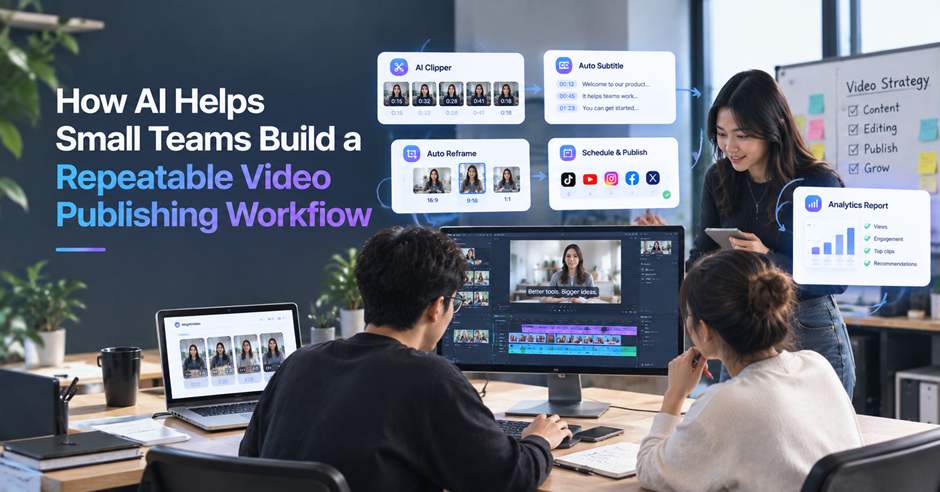
Video has become one of the main ways small businesses and brands reach an audience in 2026. Whether you’re a two-person marketing team, a small in-house content team, or an agency managing video for multiple clients, publishing consistently takes more than good ideas.
AI tools are starting to change how small teams turn a single video shoot into multiple pieces of content. They identify strong moments, create cutdowns, draft captions, and organize publishing tasks in ways that make the workflow easier to repeat week after week. Here’s what these tools actually do, and how to use them to build a video publishing system your team can maintain.
Why Small Teams Struggle to Publish Video Consistently
Making one video isn’t usually the hard part. Publishing consistently, week after week, is.
That creates three common problems:
- Not enough footage, and no time to shoot more. At three videos a week, starting from scratch every time isn’t sustainable. Small teams need to get more content out of a single video shoot.
- Every platform needs a different version. Aspect ratios, caption lengths, and thumbnail specifications quickly turn a few videos into dozens of preparation tasks—sometimes more work than the editing itself.
- Scheduling is easy to get wrong. Without a system to track what goes where, posts get missed, sent to the wrong platform, or left unpublished while a channel goes quiet.
The problem isn’t a lack of ideas. It’s that turning one video shoot into everything needed for publishing takes more hours than a small team has. That’s the gap the tools below are designed to close.
1. AI Video Clippers
You record a 40-minute interview or product demo, knowing there are several strong moments buried inside it. Finding them manually by scrubbing through the timeline can take most of an afternoon.
An AI Video Clipper scans the footage for strong moments, speaker changes, pacing shifts, and reactions, then turns one long video into a batch of short clips.
Benefits include:
✔️ Turn one long video into a week’s worth of short-form content
✔️ Skip the manual search for the best moments
✔️ Get clips reframed for TikTok, Reels, and Shorts
How to use it in a repeatable workflow:
Make clipping the first step after every shoot: upload the footage, review the generated clips against a simple checklist, and select those with a clear hook and strong audience fit. Since no advanced editing skills are required, any trained team member can run this step and pass the selected clips to the next stage.
2. AI Video Transcript Generators
You’ve got the clips. Now someone needs to turn them into captions, blog recaps, or newsletter blurbs. Without a transcript, that often means rewatching the footage or trying to remember what was said.
A Video Transcript Generator converts the recording into searchable text with timestamps and speaker labels, giving your team a reliable source for every piece of content.
Benefits include:
✔️ Draft blog posts, newsletters, and captions without rewatching the footage
✔️ Pull accurate quotes instead of paraphrasing from memory
✔️ Search for specific lines without scrubbing through the timeline
How to use it in a repeatable workflow:
Generate the transcript after selecting the clips, then pass it to whoever is handling the writing that week. They can use the same source to create captions, recaps, and newsletter copy. With support for 100+ languages, the transcript can also help create content for other markets.
3. AI Speech Enhancers
The interview or testimonial is strong and the message is clear, but there’s a hum in the background, a few filler words, and a pause that runs too long. It doesn’t need to be reshot, but it isn’t ready to publish as is.
An AI speech enhancer reduces background noise and can remove filler words and long pauses without requiring manual audio editing.
Benefits include:
✔️ Improve audio quality without learning audio editing software
✔️ Remove filler words and long pauses automatically
✔️ Rescue usable footage that might otherwise be reshot or discarded
How to use it in a repeatable workflow:
Make audio cleanup a standard step before publishing. Run each selected clip through the enhancer, then do a quick listen for unnatural cuts or missing words before passing it to the next stage. This keeps audio quality consistent and prevents small problems from sending usable footage back to production.
4. AI Text-Based Editors
You only need to cut a ten-second tangent from the middle of an interview or testimonial. Opening a timeline editor and finding the exact spot can take longer than the edit itself.
A text-based editor generates a transcript synced to the video. Delete a sentence to remove that section of footage, or move transcript sections to reorder the clip—all without working directly on a timeline.
Benefits include:
✔️ Cut a rambling section by deleting text instead of searching for a specific frame
✔️ Reorder parts of a video by moving transcript sections
✔️ Find and edit sections of multi-speaker footage without manually searching through the timeline
How to use it in a repeatable workflow:
Use it for everyday trims that would otherwise take the most time, such as cutting tangents, removing bad takes, or tightening long pauses. Once the transcript is ready, the person handling captions can make these basic edits directly and pass the draft to the next stage.
5. AI Thumbnail Generators
A batch of videos is ready to go out for the week, but thumbnails are still waiting to be made.
An AI thumbnail generator can identify clear faces, expressive moments, and strong visual frames, then generate several thumbnail options automatically. YouTube notes that 90% of its best-performing videos use custom thumbnails rather than auto-generated frames, making this a small but worthwhile step to standardize.
Benefits include:
✔️ Create usable thumbnails without opening Canva or Photoshop
✔️ Generate multiple options for review or testing
✔️ Maintain a consistent visual style using reference images instead of designing from scratch
How to use it in a repeatable workflow:
Generate thumbnail options immediately after editing, then preview them in a feed-style layout before choosing one. Use the same checklist each time—clear subject, readable text, and consistent branding—and save the strongest designs as references for future videos.
6. AI Content Calendar and Scheduling Tools
One video shoot has turned into six pieces of content: clips, a blog post, and a handful of captions. Now someone has to track what goes out, on which platform, and when—a responsibility that often breaks down during the first busy week.
A content calendar and scheduling tool brings everything into one shared calendar and queues each post for publication, instead of relying on someone to remember every step manually.
Benefits include:
✔️ See everything scheduled across platforms in one place
✔️ Queue a week’s worth of content in one sitting
✔️ Keep publishing on schedule during busy weeks
✔️ Schedule posts across time zones without manual calculations
How to use it in a repeatable workflow:
Once the clips, transcript, and thumbnails are ready, add the complete content set to the calendar in one sitting. Assign owners, set the publishing times, and review the schedule before queuing the posts. Because the whole team can see the same plan, publishing no longer depends on one person’s memory.
Tips for Making Your Video Workflow Actually Repeatable
These tools save real time, but the workflow only becomes repeatable if the whole team builds it that way on purpose.
- Start with one format before expanding. Get one recording-to-publish path working for the whole team, short clips for one platform, say, before adding more platforms, clients, or formats on top of it.
- Save what works as a template. Once a caption style, thumbnail look, or posting schedule works for a client, write it down so anyone on the team can follow it without asking.
- Don’t let speed replace structure. AI can generate a lot of versions quickly, but without a shared process, different team members end up producing inconsistent results, not faster ones.
- Automate what doesn’t need judgment, so the team has time for what does. Clipping, transcribing, and scheduling don’t need a specific person. Picking which clip is actually worth posting still does.
Final Thoughts on Building a Repeatable Video Workflow
None of these tools can decide what’s worth publishing for you. What they can do is turn a single video shoot into short clips, a searchable transcript, cleaner audio, thumbnails, and a publishing schedule—without requiring someone to handle every step manually.
In the past, doing all of that often meant hiring more help or letting much of the footage go unused. Today, a two-person team can move most of the way from shoot to scheduled publication, with no single step depending on one person being available.
The goal isn’t to publish more often for its own sake. It’s to build a process that holds up during a busy week, so the video you’ve already created keeps working instead of sitting unused.
FAQ’s
Do we need a full production team to use a workflow like this?
No. These tools exist specifically to close the gap a small team can’t fix by hiring. A one- or two-person team can run the whole workflow without a dedicated editor.
How many pieces of content can one recording realistically produce?
It depends on the length and content, but a single 20 to 40-minute recording commonly produces several short clips plus a blog post or a handful of captions from the transcript, enough to cover more than one platform for the week.
Will AI-edited content look inconsistent with our brand?
Not if the workflow is set up to reuse the same captions style, thumbnail look, and posting schedule each time. The inconsistency risk comes from skipping that setup, not from the tools themselves.
What’s the first tool we should start with?
Start wherever the current process breaks down first. For most small teams, that’s turning one long recording into usable short clips, which is why it’s usually the natural first step.