

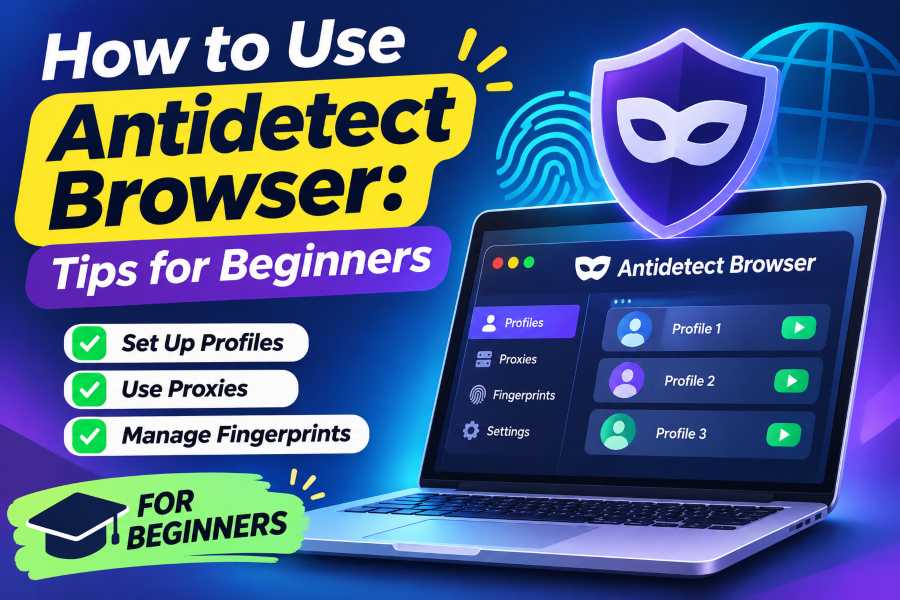
If you manage different projects, test websites, or need separate browsing environments, learning how to use an antidetect browser can be useful. Unlike a standard browser profile or incognito window, an antidetect browser creates isolated environments with their own cookies, storage, extensions, and configurable browser characteristics. For users exploring these tools, an antidetect browser can provide a dedicated environment for managing separate browser profiles.
The technology is closely connected to browser fingerprinting. Websites can observe information about a browser and device, including operating system details, screen configuration, language, time zone, and other technical signals. When combined, these characteristics can help distinguish one browsing environment from another.
An antidetect browser gives users greater control over these environments by letting them configure separate profiles independently. This makes the technology useful for legitimate activities such as website testing, regional quality assurance, research, privacy compartmentalization, and managing separate work environments.
However, an antidetect browser does not automatically make someone anonymous. It also doesn’t guarantee a website will accept an account or ignore its policies. Network configuration, browser settings, account activity, and other signals can still affect what a website sees.
Understanding how to use an antidetect browser starts with knowing what browser profiles do, how fingerprints work, and why maintaining a consistent, well-organized environment matters.
What Is an Antidetect Browser?
An antidetect browser is a specialized browser environment that lets users create multiple isolated profiles. Each profile can keep its own browsing data and configuration instead of sharing everything with the main browser environment.
Depending on the software, a profile may have its own:
- Cookies and local storage
- Cache and browsing data
- Browser extensions
- Language and time-zone settings
- Browser and operating-system characteristics
- Network configuration
- Saved sessions
This separation is particularly useful when different activities need to remain independent.
For example, a web developer could create one profile to test a website as a new visitor and another to test a returning visitor. A marketing agency could maintain separate work environments for different clients without mixing cookies and saved sessions.
How Does Browser Fingerprinting Work?
Browser fingerprinting refers to techniques websites can use to collect observable browser and device characteristics.
A fingerprint may involve information such as browser configuration, screen dimensions, language preferences, platform information, and graphics-related characteristics. Individually, these details may not identify someone. Together, however, they can create a recognizable combination.
Antidetect browsers provide controls for creating different browser environments. In legitimate testing, the goal isn’t to change every value randomly. Instead, a profile should represent a consistent environment.
For example, if you create a profile for testing a particular regional website experience, its language, time zone, and other settings should make sense together.
Setting Up an Antidetect Browser Step by Step
Learning how to use antidetect browser software is easier when you treat every profile as a separate testing or work environment.
1. Choose a Trusted Antidetect Browser
Start by researching the provider before creating profiles. Look at its privacy policy, security practices, supported operating systems, profile-management features, and data-storage model.
This matters because browser profiles can contain cookies, saved sessions, and other sensitive information.
Avoid choosing a service simply because it offers the largest number of profiles. Reliability, transparency, security updates, and usability often matter more.
2. Create a New Browser Profile
After installing the software, create a dedicated profile for your specific purpose.
Give the profile a descriptive name such as:
- Website QA
- Client Project A
- Regional Testing
- Research Profile
- New User Testing
Keeping profiles organised makes it easier to identify which environment you are using.
3. Configure the Browser Environment
Next, configure the profile according to your legitimate testing requirements.
Available settings vary between antidetect browsers, but may include browser characteristics, language, time zone, screen configuration, extensions, and other environment details.
Avoid changing settings without a reason. A stable profile is generally more useful for repeatable testing than one that constantly changes.
4. Configure the Network Connection
An important point when learning how to use antidetect browser software is understanding that the browser itself does not necessarily provide a different IP address.
The network identity generally comes from the proxy or other connection configuration assigned to the profile.
If you are performing regional QA, for example, the network location should make sense alongside the browser’s language and time-zone settings. The purpose is to create a controlled and coherent testing environment.
5. Launch and Test the Profile
Once the profile is configured, launch it and visit the website you need to evaluate.
Depending on your project, you might test:
- Regional content
- Login behaviour
- Cookies
- Language settings
- Website functionality
- Page rendering
- Browser compatibility
- Session persistence
Document the results if you need to reproduce the same test later.
6. Keep Profiles Separate
Avoid mixing unrelated work inside the same profile. Separate environments make troubleshooting easier and reduce the chance of accidentally sharing cookies, sessions, or stored browser information between projects.
This is one of the main advantages of using dedicated browser profiles.
Antidetect Browser vs VPN vs Incognito
Antidetect browsers, VPNs, and incognito mode are often confused, but they serve different purposes.
Incognito mode provides a temporary browsing session and generally removes local browsing information after the session ends. It does not create a completely different device environment.
A VPN changes the network route and can hide the user’s original IP address from websites. However, a VPN does not automatically change the browser fingerprint.
An antidetect browser focuses on isolated browser profiles and configurable browser characteristics. Its network identity depends on the connection assigned to the profile.
Therefore, choosing between these technologies depends on the goal.
If you just want more privacy on public Wi-Fi, a VPN may be enough. If you need a temporary session, incognito mode may be enough. If you need independent browser environments for QA, research, or project separation, an antidetect browser may be more appropriate.
What Are Antidetect Browsers Used For?
There are several legitimate reasons to use this technology.
Website and Software Testing
Developers can reproduce different browser environments when checking whether a website works correctly for different users.
Regional Quality Assurance
Businesses can test language, time zone, localization, and regional website behavior from controlled environments.
Privacy Compartmentalisation
Users can separate browsing activities so cookies, sessions, and local browser data don’t mix.
Research
Researchers can maintain separate environments for different projects without combining their browsing history and stored website data.
Client and Agency Work
Agencies can create dedicated profiles for different clients, helping prevent cookies, saved sessions, and project information from becoming mixed.
What Are the Limitations?
Although using antidetect browser software is relatively straightforward, the technology has important limitations.
An antidetect browser does not guarantee anonymity. Websites can use many signals beyond browser characteristics, including account information, network data, behavior, authentication details, and other security systems.
It also does not guarantee that an account will avoid restrictions. Platforms can apply their own policies regardless of which browser a user operates.
Another limitation is configuration complexity. Maintaining many profiles requires organization. Users must keep track of profile settings, network configurations, extensions, and stored sessions.
Finally, users should carefully consider where profile information is stored. Cloud synchronization can be convenient, but it may also mean that profile data is stored on a third-party service.
Is Using an Antidetect Browser Legal?
Antidetect browser software can have legitimate uses, including website testing, privacy compartmentalization, research, and quality assurance.
However, an activity’s legality depends on how the technology is used and the laws and policies that apply. Users should not use browser tools to commit fraud, gain unauthorized access, impersonate others, or conduct other unlawful activities.
Website terms also matter. A technical capability does not override a platform’s rules. Before using multiple profiles for a particular service, check its policies and make sure your activity complies with them.
Best Practices for Using Antidetect Browser Profiles
For the best experience, keep your setup organised and focused on legitimate objectives.
Use clear profile names. This makes it easier to identify the correct environment.
Keep configurations consistent. A stable profile is more useful for repeatable testing.
Protect profile data. Cookies and saved sessions can contain sensitive information.
Update the browser regularly. Security and compatibility updates can improve reliability.
Use appropriate network configurations. Make sure the network environment matches the purpose of your test.
Avoid unnecessary profiles. Create only the environments you actually need.
Respect website policies. Do not assume that profile isolation gives permission to bypass platform restrictions.
Conclusion
Knowing how to use antidetect browser software starts with understanding browser profiles, fingerprinting, network configuration, and data isolation. Rather than viewing an antidetect browser as a guaranteed anonymity tool, it is more useful to think of it as a way to create controlled and independent browser environments.
For developers, researchers, agencies, and businesses, these profiles can support website testing, regional QA, privacy compartmentalisation, and client-specific workflows. The key is to create profiles with a clear purpose, maintain consistent configurations, protect stored data, and use the technology responsibly.
When combined with sensible security practices, an antidetect browser can be a practical tool for managing multiple isolated browsing environments without unnecessarily mixing sessions, cookies, and browser data.
FAQs
1. What is an antidetect browser?
An antidetect browser is specialised software that creates isolated browser profiles with separate cookies, storage, extensions, network settings, and configurable browser characteristics.
2. How to use antidetect browser software for website testing?
Create a dedicated profile, configure the required browser and network environment, launch it, and test the website under the conditions you need to reproduce.
3. Is an antidetect browser the same as incognito mode?
No. Incognito mode mainly creates a temporary session, while an antidetect browser provides persistent, isolated profiles with additional configuration options.
4. Does an antidetect browser hide my IP address?
Not necessarily. The browser profile and network connection are separate. The IP address generally comes from the proxy or other network configuration assigned to that profile.
5. Can an antidetect browser guarantee anonymity?
No. It cannot guarantee anonymity because websites can evaluate other signals, including network information, account activity, authentication data, and behaviour.
6. Are antidetect browsers legal?
They can be used legally for purposes such as testing, research, privacy management, and browser isolation. However, users remain responsible for complying with applicable laws and website policies.