

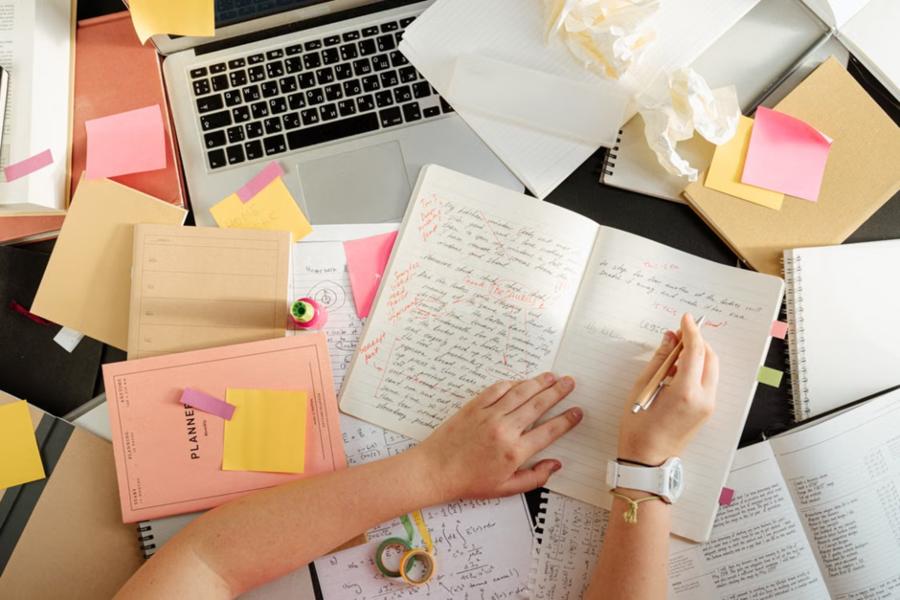
You copy a quote into your assignment and the font changes on a dime. The paragraph below is too low on the page. Solve one problem gives rise to another.
Those little interruptions become maddening as a deadline approaches. You started to make your argument, not dicked around twenty minutes rendering one damn paragraph.
Break the cleanup into three jobs — clean styling, spacing fix, and layout for your assignment. Instead of resetting everything, start with a copy of your document and then fix the parts which have been affected.
Why Copied Text Looks Different
Any copied material, by which I mean, anything selected and CRTL-V or CRTL-SHIFT-Ved into its new document (or at least it should), brings the original formatting with it. Word has different paste options because the style in the source does not always equal the format of destination.
Think of it as a mixture of your lecture notes, a quotation from some journal you read and the contribution you make in your buddy’s homework. You want a single discoverable report, but each passage may come with different visual directives.
This is what you need to do before you decide to change anything: Is it just an ugly font, are the words split in the wrong place or a whole section is settling in &8216;wrongland&8217;? It is easier to address formatting issues from copy-and-paste problems if you delineate between them.
Choose the Right Paste Option
For the plain text without formatting, paste and then edit. First pass along a short article—particularly where your source includes more than just sentences.
In Microsoft Word
You will get an option for Paste Options button, open that and select Keep Text Only to keep only text without source formatting. Use Keep Source Formatting when it is important to maintain the original appearance, then check the result.
Already pasted several pages? Highlight just the troublesome passage, and use Home > Clear All Formatting. Note that this also strips deliberate formatting, such as italics, superscript and subscript.
In Google Docs
Paste without formatting: Ctrl+Shift+V on Windows, Command+Shift+V on Mac. Note that some keyboard shortcuts may differ depending on your system’s language or Chromebook keyboard.
Before proceeding, verify the paragraph you pasted. It is important to make it look like a part of your properly formatted section in the assignment and not that the destination will have proper settings.
Use proprietary Plain Text Converter
For batch text collected from various sources, the plain text converter provides a different avenue for removal. Plain Text Converter also has different controls for unnecessary spaces, blank lines, line breaks and other unwanted content. Make selections one at a time, instead of using all filters available.
Disable remove numbers, URLs or special characters if those changes are not intentional. Do this for a small sampling before processing longer stacks of research notes.
- Store the passage and associated source information
- Use a copy-paste into the converter and select only those cleanup options that you need.
- In the comparison, original with punctuation => paragraph boundaries => numbers.
- Paste the processed paragraph into your assignment and implement the needed doc.
Retain the original until you have verified the final version. Use offline editors, or a tool-approved by your institution for any interview transcripts or proprietary project material.
Make sure to fix extra spaces and broken paragraphs
What that paragraph still looks wrong means, even closer inspection and not another bout of changing fonts. Separate spacing problems from appearance;
Find the Source of Large Gaps
Word: Use the Toggle button or Show/Hide ¶ to display spaces, paragraph marks and tabs. These markers allow you to visualize characters that are otherwise invisible.
Delete unnecessary spaces and empty paragraphs only if you are sure they are not needed. Do not use spaces repeatedly (to position a heading or to align a reference).
If you continue to see the space, take a look at your paragraph settings. Word has an option for spacing paragraphs which separates line spacing from the Before and After spacing around paragraphs. Instead of hitting Backspace over and over, modify the relevant option.
Rejoin Lines Without Losing Structure
For practical purposes, assume there is a journal entry copied that breaks after each short line. Make any compare with the source, then join only the lines of one paragraph.
Review words broken over those breaks. Rejoin a split word only when appropriate but do retain real hyphenations as in: “evidence-based.”
Don’t dark-room an entire assignment by stripping out every linebreak. Maintains meaningful partitions in poems, interviews, addresses and code.
When copying from a multicolumn PDF in Acrobat, copy and verify one column at a time. As so it makes a fine tool for selection—its selection controls allow you to pin one column, instead of slide across the page.
Use Consistent Formatting Throughout the Assignment
Clean the text and refer only to your assignment brief for formatting. See what its guidelines say about font, margins, indentation, heading levels and line spacing.
Styles in Word allow you to quickly apply the same formatting to a set of headings, paragraphs, and other elements. When you update a style, it applies to the text that uses that style.
First configure the body text, then add headings suited for this purpose. On the restructuring side, having formatting will allow students to concentrate on strengthening arguments and structure when they are writing essays, as well as leverage PapersOwl for additional writing support.
For group projects, settle on a common template before combining. Everyone is trained to write headings very clearly and to keep captions next their figures.
Check a single section during the last merge instead of picking up the whole report and hopes everything matches. Examine contributions boundaries with extra scrutiny.
Protect Citations, Tables, and Equations
Some formatting conveys semantics rather than decoration. For example, if there are numbers in scientific notation that is superscript or subscript formatting can be removed but changed to plain text and if italics were used for emphasis that would be gone.
Inspect chemical formulas, mathematical expressions and statistical symbols against their originals. Put back any styling you need, before calling it a day on the passage.
Treat tables separately from prose. Perform check for each row against the source, keeping values still positioned underneath correct column headings. As for equations: Use your document editor’s equation tools instead of forcing everything through a plain-text cleanup.
Have authors, publication dates, and page numbers next to quotations in your working notes. Compare quoted wording word-for-word post conversion, and check every citation back to the reference list entry.
Some source addresses with blue underlines do not look aesthetically pleasing so let’s just discard it right away. Determine if you want to make it look like something else or leave it as part of the reference.
Check the Creating Profile for release
Allow time at the end for a final review once you have put together the entire assignment. Go through this checklist, with the submission instructions next to you.
- consistent body text, headers, indentation and spacing between paragraphs;
- unaltered quotes, bibliographic references, and necessary italics;
- readable tables, symbols in the right place and captions where they make sense.
- there shall be no blank pages, dangling headings, or disjointed paragraphs.
- the appropriate file name and format needed for submission.
Do not use just the editing window; open that saved submission file. If there is a portal that previews, inspect that version also. Before making any further eliminations, compare the parts of passages where you removed line breaks or material that appears more than once to what was done in source.
Take the Cleanup Out Of the Writing
It is also to mention that you should never need to re-do a task because one pasted paragraph seems funny. Pick the right paste, cleanup what matters, and then apply uniform styles.
Reserve the most exacting checks for material where appearance lends meaning: quotations, references, formulas, tables. When those details are safely stored away, come back to that part that needs your focus—the argument itself.