


You paste a care note for a clothing label into a generator, and the code comes out denser than expected. Or a scan shows “Don’t bleach” instead of “Don’t bleach.”
The wording is fine. The QR code character limit is 2,953 bytes at most, but it is counted in bytes, not characters, and the nicest-looking characters cost two to four bytes each. A curly apostrophe, a dash or an emoji quietly takes up room that plain letters would not.
How Many Characters Can a QR Code Hold?
A QR code holds at most 7,089 digits, 4,296 alphanumeric characters, 2,953 bytes or 1,817 kanji characters. All four describe one symbol, version 40 at 177 by 177 modules, at error correction level L, as ISO/IEC 18004 defines it. Higher levels hold less.
| Mode | Level L | Level M | Level Q | Level H |
| Numeric | 7,089 | 5,596 | 3,993 | 3,057 |
| Alphanumeric | 4,296 | 3,391 | 2,420 | 1,852 |
| Byte | 2,953 | 2,331 | 1,663 | 1,273 |
| Kanji | 1,817 | 1,435 | 1,024 | 784 |
The codes you see on labels and signs are far smaller. Version 1 is 21 by 21 modules and holds 17 bytes at level L, 14 at M and 7 at H. Capacity moves in steps, so one extra character can push a code up a whole version, and going from L to H costs about 57 percent of the room.
QR Code Special Characters: Characters Are Not Bytes
Ordinary text goes into a code in byte mode. Letters, digits and basic punctuation from an English keyboard take one byte each. Anything else is normally stored as UTF-8, at two to four bytes.
A cheaper alphanumeric mode exists, but it knows only 45 characters: 0 to 9, capital A to Z, a space and the marks $ % * + – . / :. One lowercase letter falls outside it, so an ordinary sentence lands in byte mode. Here is what common characters cost.
| Character | Bytes in UTF-8 | What it is |
| a | 1 | Plain English letter |
| é | 2 | Accented letter |
| Non-breaking space | 2 | Looks like a space, stops line wrapping |
| ’“” | 3 | Curly apostrophe and quotes |
| En dash, em dash | 3 | Long dashes pasted from editors |
| … | 3 | One-character ellipsis |
| Zero-width space | 3 | Invisible, still counted |
| 🧺 | 4 | Single emoji |
| 👍🏽 | 8 | Emoji with a skin tone |
So the number you need to watch is bytes. Five curly apostrophes add ten bytes to a note that looks unchanged. Once the text is clean, a plain text QR code generator turns it into a code that shows the words on a phone even with no Wi-Fi or cellular data. The text sits inside the pattern, so there is no page that can go missing later.
The trade-off is length. More text makes a denser pattern, and at the same printed size a denser code is harder for a camera to read.
What Smart Quotes, Dashes and Emoji Do to the Same Note
Here is the arithmetic for a clothing label. The plain version of the note readsCare: machine wash cold, gentle cycle. Don’t bleach or tumble dry. Dry flat. Cool iron only. Questions? Call 555-0142.That is 118 characters and 118 bytes. At error correction level M it fits version 7, a 45 by 45 grid that holds up to 122 bytes.
Now suppose the same note comes out of a word processor after a quick edit, with a curly apostrophe, a dash instead of a period, “Cool” in curly quotes, a non-breaking hyphen in the phone number, and a basket emoji at the end:Care: machine wash cold, gentle cycle. Don’t bleach or tumble dry – dry flat. “Cool” iron only. Questions? Call 555‑0142 🧺
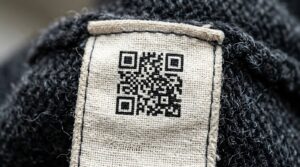
It looks almost the same, and it is 122 characters. But it is 135 bytes, past the 122 that version 7 holds at level M.
The code jumps to version 8, a 49 by 49 grid with room for 152 bytes. Printed 25 mm (about an inch) wide, its modules shrink from about 0.56 mm to 0.51 mm (0.022 to 0.020 inch). Small modules are where scans start to fail on a crumpled label or an older camera.
Nothing changed for a reader, only the bytes. If you print labels in bulk, every one of them carries modules about 8 percent narrower for no gain.
Why a Scanned Code Shows Strange Characters
A text code usually carries only the bytes, with no label saying which character set they use.
Under the QR standard, byte mode without that label means Latin-1 (ISO/IEC 8859-1), an older Western character set. UTF-8 needs a marker called ECI. Some generators leave it out by default and some scanners do not understand it, so a scanner may have to guess.
A curly apostrophe is three bytes in UTF-8. Read as Windows-1252, the set web browsers use for text labeled Latin-1, those bytes become “’”, which is where “Don’t” comes from. Strict Latin-1 has no printable character for two of them, so a scanner that follows it shows “â” and then blanks or boxes.
The same thing happens with accents, Cyrillic letters and emoji, which can come out as boxes, question marks or nonsense. A second failure looks different. Some scanner apps treat any text that is not a link as a search term and open a search page instead of showing your words.
The fix is a test. Scan the exact string with the built-in camera on an iPhone and on an Android phone before anything is printed. If both show your words correctly, you are done.
If one does not, remove the accents and symbols first. If the message has to keep them, put it on a page and encode the address instead.
Does a QR Code Line Break Survive the Scan?
A line break is a character too. A single line feed takes one byte, and the Windows pair of carriage return and line feed takes two. The bytes are rarely the problem.
What happens after the scan is. The app decides how to display the text, and several apps collapse every break into one running line.
So write the note as one or two sentences that read fine on a single line. Anything that depends on layout, such as a list, an address block or a schedule, belongs on a page.
A Cleanup Routine Before You Generate
Seven short steps deal with the usual causes of a bloated or garbled code. Do them in this order, because each one makes the next easier.
- Strip the formatting. Run the text through a plain text converter so fonts, bold, links and hidden styling disappear and only the characters remain.
- Replace curly quotes, long dashes and the one-character ellipsis with their plain versions.
- Swap non-breaking spaces and hyphens for regular ones, and delete invisible characters such as the zero-width space, along with any emoji.
- Decide about line breaks. If the meaning needs them, the text belongs on a page.
- Cut the text to what has to be there. For a care label that is usually the washing instructions in plain words and one phone number customers can call.
- Count the bytes. Add one for every plain character and use the table above for the rest.
- Generate the code and scan it with two different phones.
Steps two and three recover most of the room in a pasted note. This is what each swap is worth.
| Replace this | With this | Bytes saved |
| Curly apostrophe | Straight apostrophe | 2 each |
| Curly double quotes | Straight double quotes | 2 each |
| En dash or em dash | Hyphen, comma or period | 2 each |
| One-character ellipsis | Three periods | 0, but all plain ASCII |
| Non-breaking space | Regular space | 1 each |
| Non-breaking hyphen | Regular hyphen | 2 each |
| Zero-width space | Nothing | 3 each |
| Emoji | Nothing | 4 each |
| Emoji with skin tone | Nothing | 8 each |
| Windows line break | Single line feed | 1 each |

When the Text Is Too Long for One Code
If the text still runs past a sentence or two, stop trimming. Put it on a page and encode a short web address instead. A short address makes a far lighter code than a paragraph, and the page can hold the accents, the line breaks and the emoji without any of the risks above.
A page can also be corrected after the labels are printed, which text inside a code cannot.
As a rule of thumb, the code should be at least one tenth as wide as the distance people scan from, so a label read from 20 cm (about 8 inches) away needs a code about 2 cm (0.8 inch) across. Leave a clear margin on all four sides.
Keep passwords and personal data out, since anyone with a phone can read what you put in. And do the byte count and the two-phone scan before the print run. A typo shows up when you proofread, a garbled code only when a customer scans it.
Quick Answers
Can you put emoji in a QR code? Yes, but each one costs four bytes or more, and some scanners may show a box instead of the picture you chose. A skin-tone emoji or a flag takes eight bytes, so a single one can push the code up a version.
Do accented letters work? Yes, as long as the scanner reads the text as UTF-8. A common accented letter such as é takes two bytes, and some scanners misread it, so scan the exact text on two phones before printing.
What happens if the text is too long? The generator either refuses it or builds a very dense code that is hard to scan. Past 2,953 bytes no single QR code can hold it, and long before that the modules get too small to print at a reasonable size.
Is there a limit on line breaks? There is no separate limit, because each break is just one or two bytes. The real limit is the app that displays the text, which may ignore the breaks.
How do I check my text’s byte count? Count one byte for each plain English character, then add the extra bytes for accents, quotes, dashes and emoji from the table above. A tool that reports UTF-8 size will give the exact total.