

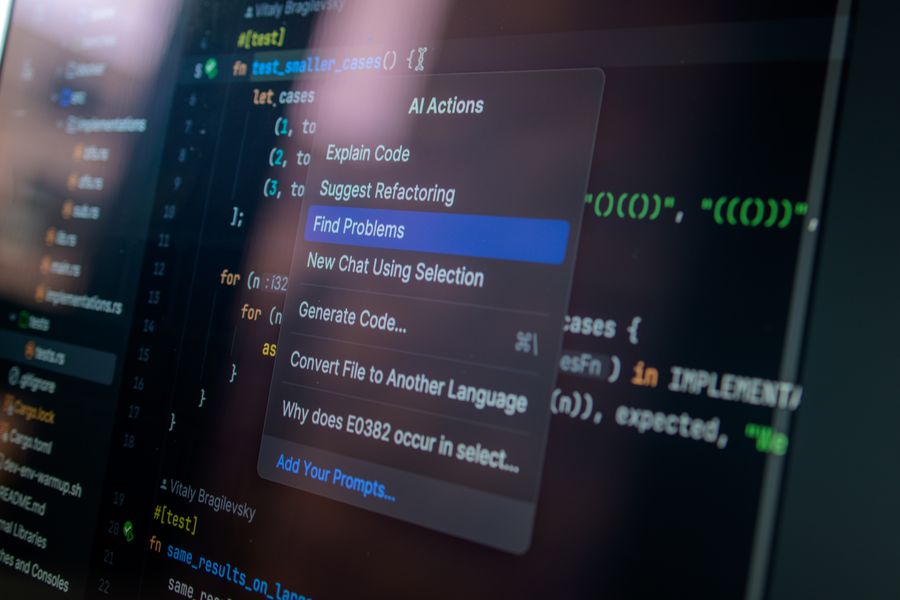
AI augmented development services depend on something many teams still treat as a small detail: clean, readable, well-structured text. The source material must make sense before a software team can use automation to analyze requirements, summarize code, prepare test cases, document legacy systems, or support release planning. A messy brief copied from an email, a ticket filled with broken formatting, or a specification pasted from a PDF can slow the whole process down. AI can help engineers work faster, but it works better when the human input is clear from the beginning.
Why clean text still matters in software development
Software development runs on written information. Requirements, bug reports, acceptance criteria, release notes, API descriptions, QA steps, meeting notes, and support tickets all shape what developers build and how testers check it. When the wording is clean, teams can move with more confidence. When the text is messy, people start guessing.
The problem is not only bad writing. It is also formatting. A requirement may be copied from a document into a project board and bring along strange line breaks, hidden styling, broken bullets, or extra spaces. A table may lose its structure. A numbered list may turn into one long paragraph. A code-related note may become hard to read because indentation disappears.
These issues look harmless, but they change how people understand the work. A small formatting mistake can make two separate requirements look like one. A broken checklist can make a QA engineer miss a step. A copied log with collapsed lines can make a bug harder to reproduce.
How AI Augmented Development Services Use Better Inputs
AI augmented development services can support software teams in several practical ways: code analysis, technical documentation, test planning, requirement review, refactoring support, and modernization of older systems. But none of that works well if the input is unclear.
A team may ask an AI-supported tool to summarize a feature brief, but the summary will only be useful if the brief has readable sections. A developer may use automation to understand a legacy module, but the notes around that module still need human context. A QA lead may ask for test scenarios, but the original acceptance criteria must be specific enough to test.
That is why companies looking at ai augmented development services should think beyond “faster development.” The stronger question is whether the whole workflow is ready for cleaner collaboration between people, documentation, and AI-supported engineering.
This is where AI augmented processes and development services meet ordinary discipline. The better the text layer is, the easier it becomes to review, automate, test, and improve the software behind it.
Where messy text creates real development problems
Messy text enters a project quietly. Nobody plans to create confusion. It happens during normal work: someone copies notes from a call, pastes a client request from an email, adds a screenshot explanation into a ticket, or moves a table from a spreadsheet into a document.
| Text problem | Where it often happens | Development risk |
| Broken bullets | Copied emails or documents | Requirements lose priority or structure |
| Hidden formatting | Rich text editors | Content behaves unpredictably in other tools |
| Extra spaces | Logs, copied notes, tables | Search and comparison become harder |
| Collapsed line breaks | PDF or web copy | Steps become difficult to follow |
| Mixed terminology | Client notes and internal tickets | Teams describe the same feature differently |
A practical clean text workflow before using AI
A clean text workflow does not need to be complicated. It only needs to be consistent enough that the team stops feeding unclear material into important systems.
- Collect raw material from emails, calls, tickets, chats, PDFs, and shared documents.
- Convert copied content into plain text before editing it.
- Remove broken bullets, empty lines, duplicated phrases, and leftover formatting.
- Divide the material into sections: context, requirement, question, constraint, and acceptance criteria.
- Check terminology so the same feature is not described in three different ways.
- Use AI support only after the content is readable.
- Review every AI-assisted output before it becomes official project documentation.
Mini case study: a feature brief that almost failed
Imagine a SaaS company asking a development partner to add a new reporting feature. The client sends feedback from a sales call, support tickets, and an internal spreadsheet. The material is pasted into one project document. The headings are inconsistent, bullet points are broken, and three different names are used for the same report.
The development team could push that material directly into an AI tool and ask for a summary. It might produce something readable, but it could also merge separate requests, miss a constraint, or hide uncertainty under polished wording.
A better approach starts with cleanup. The team converts the material into plain text, separates user requests from internal comments, standardizes the report name, and turns unclear points into questions. Only then does it use AI support to draft user stories and test ideas.
The difference is practical. The AI-assisted output becomes easier to verify because the source text is already organized. Developers get clearer tasks. QA gets better test points. The client gets fewer repeated clarification questions.
How clean text improves QA and testing
QA teams depend on exact wording. A good bug report explains what happened, what should have happened, where it happened, which environment was used, and how to reproduce the issue. If that text is poorly structured, the bug may bounce between people before anyone fixes it.
Plain text helps testing because it keeps steps readable. Numbered instructions stay clear. Logs are easier to copy. Error messages are easier to compare. Acceptance criteria can be checked line by line.
For AI-supported test planning, clean text is even more useful. A tool can help draft scenarios from requirements, but it needs structured input. “User cannot export report” is too vague. A cleaner version gives more direction: user role, report type, file format, permission level, expected result, and error state.
That does not remove the QA specialist. It gives that person a stronger first draft to review.
Why human review stays essential
AI-supported development can speed up analysis, documentation, and test preparation, but it should not remove responsibility from the team. A generated summary may sound clear and still be wrong. A suggested test case may miss a business rule. A code explanation may overlook a security issue. Standing up an ai code review step at the pull request boundary catches the categories of weakness that come from AI-generated code, leaving the architectural and business logic decisions for the human review that follows.
Human review is the control layer. Product managers check business meaning. Engineers check architecture and implementation. QA checks behavior. Security specialists check risk. Clients confirm whether the interpretation matches the real need.
Clean text supports that review because everyone can see what was requested, what was changed, and what still needs confirmation. It reduces the chance that polished AI output hides weak source material.
What teams should standardize
Before using AI more deeply in software delivery, teams should standardize the text habits that support the work.
A useful internal checklist includes:
- one naming convention for features and modules;
- clear acceptance criteria for every user story;
- plain text cleanup before prompts or ticket creation;
- separate sections for facts, assumptions, and open questions;
- readable bug report templates;
- consistent release note structure;
- human approval before AI-generated documentation becomes official.
Clean Text Makes AI Augmented Development Services Stronger
AI augmented development services are most useful when they are built on clear communication. The technology can help teams analyze code, draft documentation, prepare tests, and modernize systems, but it should not be asked to rescue every messy requirement or broken handoff.
Clean text workflows give teams a better foundation. They remove formatting noise, protect meaning, make prompts easier to review, and help people check AI-supported output with more confidence. In software projects, better input usually leads to better decisions. That is why plain text habits still belong in modern development, even when the tools around them become more advanced.