

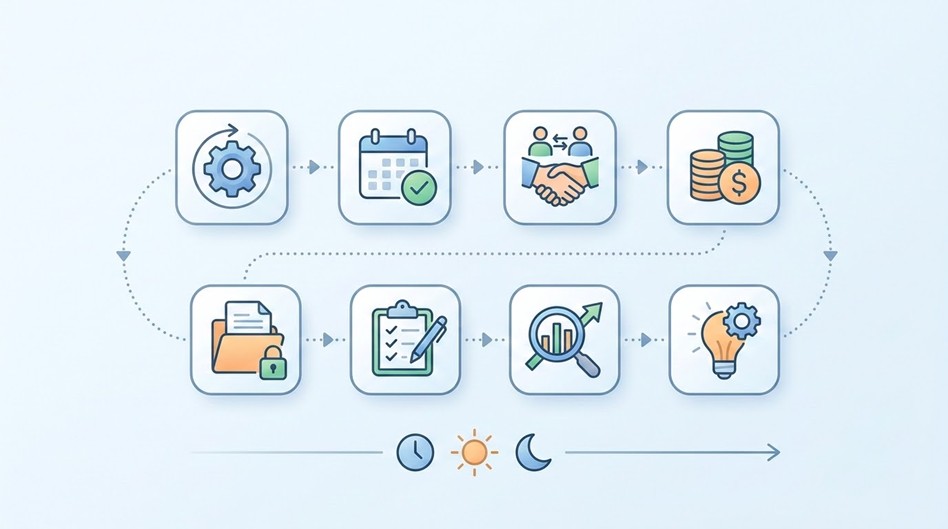
Walk into almost any growing company, and you’ll find the same quiet inefficiency at work: people solving problems that have already been solved. A new hire spends their first month figuring out how the team handles client onboarding, when a colleague two desks over solved that exact puzzle eight months ago. A manager rebuilds a project kickoff plan from scratch for the third quarter running, unaware that a near-identical plan already exists in someone else’s inbox. None of this is anyone’s fault. It’s simply what happens when knowledge about how work gets done lives in individual heads instead of somewhere the whole team can reach.
The fix isn’t more meetings or more documentation for its own sake. It’s templating the work that repeats.
The hidden cost of starting from a blank page
Every recurring task carries two kinds of cost: the cost of doing it, and the cost of figuring out how to do it. The second cost is invisible on a budget sheet, but it adds up fast. A marketer drafting a campaign brief for the tenth time still has to decide what sections to include, what questions to ask stakeholders, and what “done” looks like — unless a template already answers those questions for them. A support lead onboarding a new hire has to remember, from memory, every account and tool that needs setting up, unless a checklist already exists to hand over.
Multiply that decision-making tax across a team of twenty people doing dozens of recurring tasks a week, and the hidden cost becomes substantial. It shows up as inconsistent quality, forgotten steps, and new employees who take months longer than necessary to reach full productivity — not because the work is hard, but because nobody wrote down how it’s done. The same underlying gap is exactly why centralizing shared knowledge, guidelines, and past work in one place has become standard practice for teams that produce a high volume of similar work, whether that’s content, support tickets, or project deliverables.
What a good task template actually does
A template is often dismissed as bureaucratic overhead, but a well-built one does something much more useful: it encodes a decision that was already made once, so nobody has to make it again. Instead of a blank document with a blinking cursor, a new team member opens a template that already has the right sections, the right questions, and the right order of operations. Their job shifts from “figure out what to do” to “fill in the specifics” — a much smaller, much faster task.
The best templates share a few traits regardless of what they’re used for:
- They live where the work happens. A template stored in a separate wiki or shared drive gets used rarely, because checking it requires a deliberate detour. A template embedded in the tool the team already works in — a project tracker, a CRM, a ticketing system — gets used because it’s simply there when the task starts.
- They capture the “why,” not just the “what.” The most useful templates include a brief note on why a step matters, not just an instruction to do it. This helps people adapt intelligently when a situation doesn’t quite match the standard case.
- They stay current. A template that reflects last year’s process is worse than no template at all, because it actively misleads. Someone needs to own the job of reviewing and updating templates as the underlying process changes.
Where templating pays off fastest
Not every task deserves a template — a one-off decision doesn’t need one, and over-templating can make a team feel like it’s filling out paperwork rather than doing the work. But a handful of recurring situations reliably pay for the setup effort many times over:
Onboarding and offboarding. New employee setup and departing employee wind-down both involve dozens of small, easy-to-forget steps across multiple systems. A checklist template turns a stressful game of memory into a simple sequence to work through.
Client or project kickoffs. The first steps of any new engagement — gathering requirements, setting expectations, assigning owners — tend to be nearly identical from project to project, even when the deliverable itself is unique.
Recurring reports and reviews. Weekly status updates, monthly financial reviews, and quarterly planning documents all benefit from a consistent structure that makes them faster to produce and easier to compare over time.
Software development workflows. Teams running software projects through issue trackers face this constantly: a code review, a release, or a QA pass all follow a similar sequence of steps every single time, yet many teams still rely on individual memory to make sure nothing gets skipped. This is exactly the gap that dedicated tooling exists to close — TitanApps, for instance, builds add-ons that let teams work with structured templates and checklists directly inside their existing project tools, and its guide to building a task template in Jira walks through setting up a reusable structure so recurring tickets — releases, onboarding, incident response — start from a consistent checklist instead of a blank issue every time.
Building your first template without overengineering it
The temptation, once a team decides to template something, is to make it exhaustive — every possible edge case accounted for, every field covered. Resist that instinct. An overly detailed template gets abandoned just as fast as no template at all, because it takes longer to fill out than it saves.
A better approach is to start with the minimum viable version: the five or six steps that matter most, in the order they usually happen, with just enough detail that someone unfamiliar with the task could follow along. Run it for a few cycles, watch where people deviate from it or add notes in the margins, and use those observations to refine it. A template built this way — from actual use rather than from a whiteboard brainstorm — tends to survive far longer than one designed in the abstract.
The compounding effect
The value of a single template is modest. The value of a team that habitually templates its recurring work compounds. New hires ramp up faster because the “how we do things” knowledge is already written down rather than locked in senior employees’ heads. Quality becomes more consistent because everyone is working from the same baseline instead of their own interpretation. And perhaps most importantly, the team’s accumulated knowledge stops walking out the door every time someone leaves the company, because it was never only in their head to begin with.
None of this requires an elaborate process overhaul. It starts with noticing the next time you or a teammate sits down to do something you’ve clearly done before, and asking a simple question: has someone already written down how this works? If not, that’s the moment to build the template — not for the sake of process, but so the next person who does this task gets to start from something better than a blank page.
FAQ
Does templating a task make a team less flexible?
It’s a common worry, but the opposite tends to be true. A team with no template improvises every time, which means quality swings depending on who’s doing the work and how much time pressure they’re under that day. A good template actually creates room for flexibility, because it handles the routine 80% automatically and frees people’s judgment for the 20% that genuinely needs it. The teams that feel rigid are usually the ones with templates nobody’s allowed to deviate from, not the ones with templates at all.
Who should own a task template once it exists?
This gets overlooked constantly. Teams will happily spend an afternoon building a template and then never assign anyone to maintain it, so it quietly goes stale. The healthiest pattern is to treat template ownership like code ownership: one person or role is accountable for it, changes go through a quick review rather than silent edits, and it gets revisited on a schedule (after a process change, or at minimum once a quarter) rather than only when something breaks.
How do you know a template is actually being used, versus just sitting in a drawer?
Usage is easy to fake on paper and easy to check in practice: look at whether the last five instances of that task actually followed the template’s steps, or whether people quietly went around it. If several people independently skip the same step, that’s rarely a compliance problem — it’s usually a signal the step doesn’t belong in the template, or belongs somewhere else in the sequence. Treat those deviations as free feedback rather than a discipline issue.
Is there a point where a business has “too many” templates?
Yes, and it’s easy to cross without noticing. The tell isn’t a specific number, it’s whether people start treating template creation as the finish line instead of a means to an end — templates for tasks that only happened once, or templates so granular they take longer to open than the task itself takes to do. A useful rule of thumb: if nobody’s opened a given template in the last few months, it’s either not needed or nobody remembers it exists, and both are worth investigating rather than ignoring.
Should every recurring task have a template, even small ones?
Not necessarily. Templating has a setup cost, and for a task that takes two minutes and rarely goes wrong, that cost may never pay itself back. Templates earn their keep on tasks that are either frequent, high-stakes, or done by more than one person — where inconsistency actually costs something. A five-minute task that only one person ever does is often better left to that person’s own habits.